Author: Matthew Bennett

  • Strengthening Compliance & Audit Readiness: AI-Powered Time Tracking for Workday in Regulated & Unionized Workforces

    Strengthening Compliance & Audit Readiness: AI-Powered Time Tracking for Workday in Regulated & Unionized Workforces

    In heavily regulated sectors—healthcare facilities, government agencies, unionized manufacturing plants, construction sites, hospitality chains, and retail operations—non-compliance with labor laws can lead to hefty fines, lawsuits, back-pay claims, or damaged reputations. Complex rules around meal/break periods, overtime thresholds, daily/weekly limits, minor employee restrictions, prevailing wage, union seniority, and mandatory attestations require precise enforcement and ironclad records.

    Workday offers robust HCM foundations for time and absence but lacks native, automated enforcement mechanisms or dedicated fixed kiosks for on-site compliance capture. Without built-in tools to prompt attestations, auto-apply intricate rules during punches, or generate detailed audit trails at the clock level, organizations often fall back on manual reviews, spreadsheets, or after-the-fact corrections—creating gaps that expose them to risk during audits or disputes.

    The compliant, low-risk path forward? AI-driven kiosks that embed real-time rule enforcement, digital attestations, and tamper-proof logging directly into the clock-in process—ensuring every punch complies with policies and feeds verifiable data straight to Workday for seamless payroll and reporting.

    Why Compliance Is a Top Priority (and Challenge) in Regulated Industries

    Key risks and pain points include:

    • Regulatory Violations — Missed breaks, improper overtime, or non-compliant scheduling trigger penalties from DOL, state agencies, or union contracts.
    • Audit & Dispute Exposure — Lack of detailed, timestamped trails makes it hard to defend time records during investigations or grievances.
    • Manual Oversight Burden — HR manually checks and corrects entries, increasing errors and admin time in high-volume shift environments.
    • Union & Policy Complexity — Seniority-based rules, job classifications, or attestation requirements demand automated handling to avoid costly mistakes.
    • Data Integrity for Payroll — Inaccurate or incomplete records lead to payroll disputes, under/overpayments, and compliance reporting failures.

    Tablet-based kiosks solve these by turning every clock-in into a compliance checkpoint—automating enforcement while capturing auditable evidence.

    CloudApper AI TimeClock: Built-in Compliance Intelligence for Workday

    CloudApper AI TimeClock transforms affordable tablets into secure, compliance-focused Workday kiosks, with AI agents that proactively manage labor rules—no custom coding or expensive hardware required.

    Core compliance strengths tailored for regulated environments:

    1. Automated Rule Enforcement — AI applies custom overtime, break, meal, daily/weekly hour limits, and union policies in real-time during punches; flags violations instantly and prevents non-compliant entries.
    2. Digital Attestations & Confirmations — Employees acknowledge meal breaks, safety protocols, or policy compliance via touchless prompts at the kiosk—creating timestamped records for audits.
    3. Comprehensive Audit Trails — Every action (punch, edit, attestation, sync) is logged with user, time, location, and biometrics—exportable for DOL, union, or internal reviews.
    4. Touchless Biometrics + Geo-Fencing — Facial recognition (PPE/mask-compatible) and location verification ensure only authorized, on-site employees record time—critical for fraud prevention and location-based compliance (e.g., prevailing wage zones).
    5. Offline Capture with Compliant Sync — Data stores securely offline in remote/construction sites; auto-syncs to Workday with full integrity preserved—no gaps in records.
    6. Self-Service & AI HR Assistant — Employees view compliant schedules, request PTO within rules, or ask the 24/7 AI about policies (“Am I eligible for overtime?”)—reducing inquiries while ensuring accurate understanding.
    7. Seamless Workday Integration — Certified APIs push compliant punches, job tags, accruals, and attestation data directly into Workday Time, Absence, and Payroll—enabling accurate processing and reporting.

    Businesses in healthcare, government, unionized manufacturing, construction, and hospitality report fewer violations, faster audit prep, reduced disputes, and lower risk exposure—thanks to proactive, automated compliance that aligns perfectly with Workday.

    Build a Defensible, Compliant Workforce—Start Today

    For Workday users in regulated or unionized settings ready to automate compliance, minimize audit risks, and protect against labor law pitfalls, CloudApper AI TimeClock provides intelligent, integrated safeguards without added complexity.

    See how it enforces your specific rules and strengthens audit readiness—visit CloudApper AI TimeClock for Workday and explore compliance-focused features.

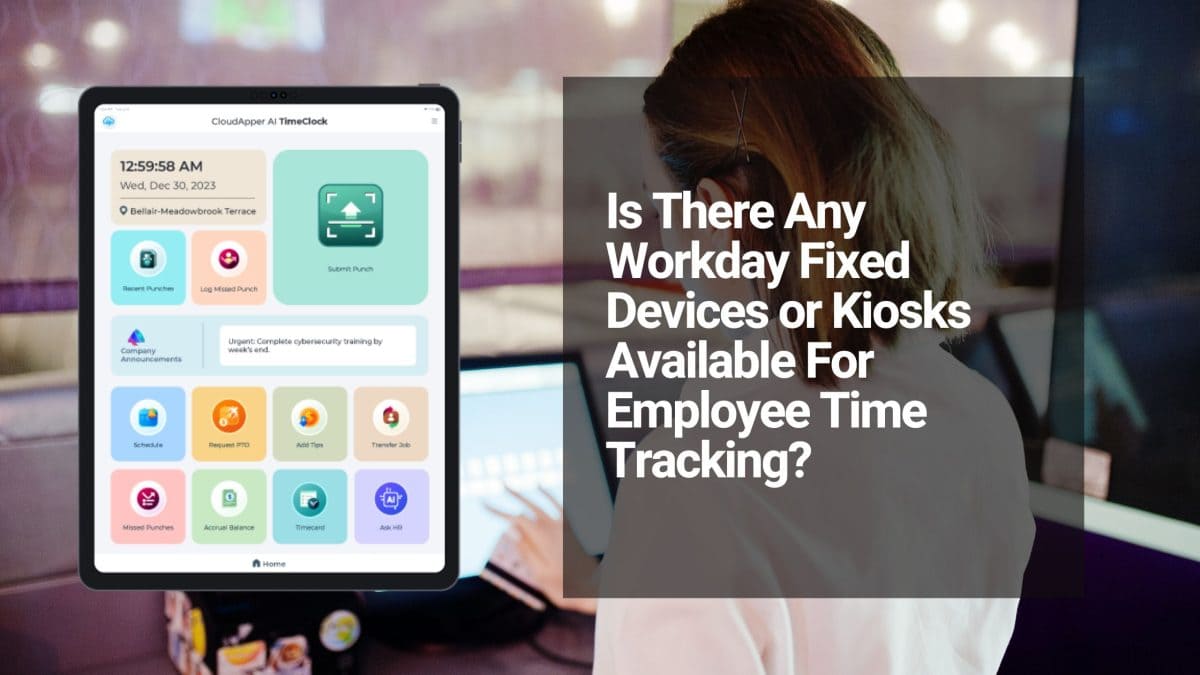
    This compliance and audit-readiness angle expands on the original discussion. For the complete source article, check: Is There Any Workday Fixed Devices or Kiosks Available For Employee Time Tracking?
  • The Most Effective Time Punch System for “Just Pay” in Pest Control & Extermination Services: Compliant, Offline-Capable AI TimeClock

    The Most Effective Time Punch System for “Just Pay” in Pest Control & Extermination Services: Compliant, Offline-Capable AI TimeClock

    In pest control, just pay directly impacts technician satisfaction and business viability: techs must be paid accurately for every mile driven, every treatment performed, every inspection completed, and every emergency callback—without shorted travel pay, missed on-site minutes, or payroll errors that spark complaints or turnover during peak infestation seasons. Traditional logbooks, phone apps without offline support, or paper timesheets often break down: no connectivity inside commercial freezers or rural barns, buddy punching on shared routes, unclear job allocation for billing, disputes over drive time between stops, and delayed uploads that frustrate crews working long summer days.

    CloudApper AI TimeClock stands out as the most effective, field-proven time punch solution for pest control companies using payroll systems. It delivers biometric security, complete offline functionality, and service-specific tracking to guarantee fair, auditable hours—fostering trust, ensuring compliance, and streamlining payroll.

    Why Pest Control Companies Need a Superior Time Punch System for Just Pay

    • Route & Property Verification → Geofencing confirms the technician arrives at the correct address/property; optional drive-time capture between jobs ensures equitable travel pay per company or state guidelines.
    • Full Offline Performance → Punches work reliably without internet (critical for basements, attics, crawl spaces, farms, or restaurants with restricted Wi-Fi); data auto-syncs securely once back online—no missing hours or manual catch-up.
    • Service & Treatment Logging → Techs select job types (general pest, termite, rodent, bed bug, inspection only) or scan property codes during punches—providing accurate data for client invoicing, chemical usage tracking, and payroll cost allocation.
    • After-Hours & Emergency Handling → Automatically flags overtime, callbacks, or weekend/emergency rates; precise totals sync to your payroll system for correct premium pay without supervisor overrides.
    • Technician Confidence → Mobile self-service to review logged time, view upcoming appointments, request days off, check accrued pay, or see route details—reducing “my check is wrong” calls and helping retain certified staff.

    Standout Features for Pest Control Teams on Payroll systems

    • Touchless Face Recognition → Fast, hygienic facial logins (PPE/gloves/mask-friendly)—suitable for technicians handling chemicals or working in sensitive environments like food facilities.
    • Versatile Punch Options → Face ID + QR code/NFC/barcode for quick scans at vehicle dashboards, job-site signs, or shared office tablets.
    • 24/7 AI Assistant → Real-time support in the field (“How much travel time did I log today?” or “Am I cleared for the after-hours call?”)—cutting dispatch interruptions during busy spray routes.
    • Direct Payroll & Compliance Sync → Seamless integration with UKG, ADP, Workday compatibility—punches, travel, job notes, and overtime upload automatically for fast, error-free payroll and easy audit trails (pesticide applicator logs, DOT compliance).
    • Highly Affordable Setup → Converts standard or rugged tablets into smart time clocks—at roughly 25% of traditional hardware clock costs (saving up to 75% on deployment, maintenance, and replacements)—scalable for seasonal surges or fleet expansion.

    Pest control operators using similar AI time-tracking solutions report sharp reductions in payroll adjustments, fewer technician disputes, improved route efficiency, better client billing accuracy, lower overtime creep, and stronger staff retention—all anchored in consistently delivering just pay that keeps licensed techs loyal.

    For the full original article on the most effective time punch system for just pay, see the source: The Most Effective Time Punch System for Employees With Just Pay

    Deliver Fair, Accurate Pay and Simplify Service Routes in Pest Control

    Equip your exterminators, inspectors, and route supervisors with a dependable, compliant way to record time that ensures every minute and mile is compensated correctly and integrates directly with your payroll.

    Ready to eliminate time gaps, reduce conflicts, and boost technician morale? Discover CloudApper AI TimeClock – the employee timeclock application built for mobile field service teams and contact our experts for a pest control-specific demo.

    Let’s discuss your needs: address-specific geofencing, travel-time automation, treatment code tracking, seasonal scaling, or payroll integration details!

  • Transforming Workday Time Tracking for Education Staff: Flexible, Compliant AI Integration with CloudApper AI TimeClock

    Transforming Workday Time Tracking for Education Staff: Flexible, Compliant AI Integration with CloudApper AI TimeClock

    Education environments demand precise time and attendance tracking to support accurate payroll, substitute reimbursement, grant/funding compliance, and staff coverage—yet traditional methods struggle: substitutes need fast onboarding for daily assignments, bus drivers/custodians face offline routes or early/late shifts, manual sign-ins delay processing during back-to-school rushes, and complex calendars (professional development days, holidays) complicate absence and overtime syncing with Workday.

    CloudApper AI TimeClock provides an education-friendly, seamless Workday time clock integration that accommodates diverse roles—from classroom aides to maintenance crews—delivering reliable, touchless capture and real-time data flow into Workday Payroll, Time Tracking, and Absence modules.

    Education-Specific Challenges Solved

    • Fast Onboarding for Substitutes & Part-Timers → Quick, touchless Face ID or QR code punches with minimal setup; new subs clock in securely on shared tablets without lengthy training.
    • Offline Punching for Mobile/Remote Roles → Bus drivers, field trip chaperones, or outdoor maintenance staff punch offline; data auto-syncs to Workday when back at school—no lost time during routes or events.
    • Compliance & Reporting Accuracy → Automates break rules, overtime thresholds, and union-specific attestations; precise punches support state/federal reporting (e.g., ADA hours, substitute tracking) and audit readiness in Workday.
    • Self-Service to Reduce Admin Burden → Staff view schedules, request substitutes/time off, swap shifts, check accruals, or access pay info—freeing principals/HR during peak periods like parent-teacher conferences.

    See the full capabilities tailored for your needs: CloudApper AI TimeClock for Workday

    Key Features Ideal for Schools & Districts

    • Versatile Punch Options → Biometric face recognition for hygienic, quick logins (classroom or cafeteria use); QR/barcode/NFC for badge systems at school entrances or bus depots.
    • Geofencing for Campus Accuracy → Limit punches to school grounds, bus yards, or event venues—preventing off-site errors while supporting after-school programs or sports.
    • 24/7 AI Assistant → Instant responses to staff questions (“How do I request a personal day?” or “What’s my sick leave balance?”), automates routine requests, and eases HR workload.
    • Task & Role Tracking → Capture time by role (e.g., substitute vs. regular teacher, cafeteria aide) or department for better budgeting and grant compliance in Workday.
    • Budget-Friendly Scaling → Deploys on affordable iPads/Android tablets—at roughly 25% of traditional clock costs (saving up to 75%)—easy to roll out across multiple schools or add for seasonal staff.

    Education clients using comparable integrations report fewer payroll adjustments, faster substitute payments, and improved staff satisfaction—helping maintain focus on student outcomes over paperwork.

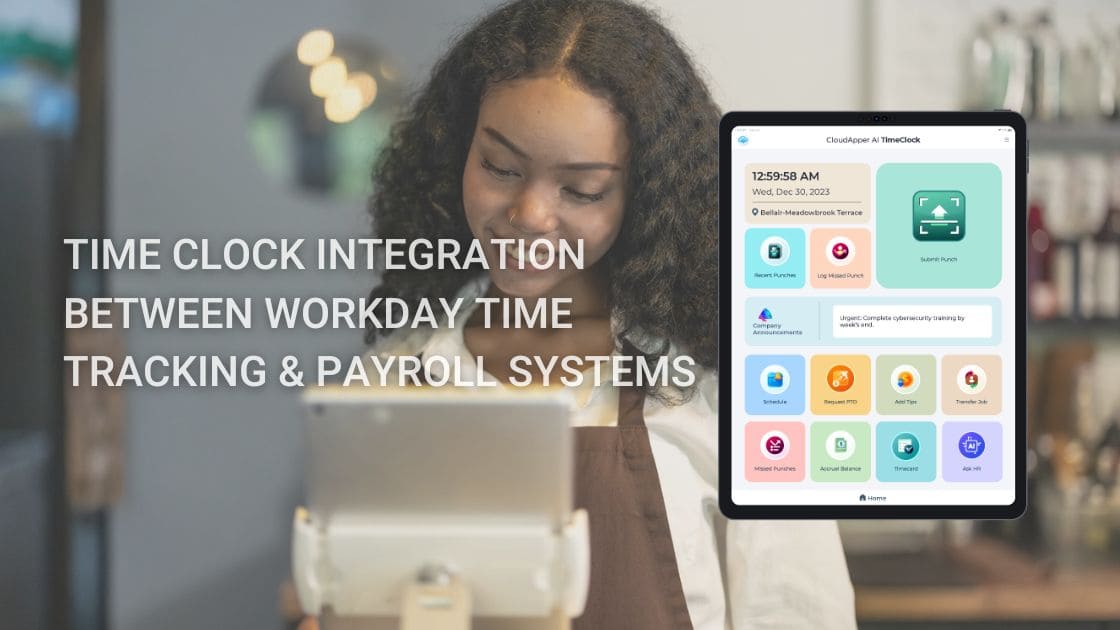
    For the general foundation on Workday time clock integration benefits, see the original source: Time Clock Integration Between Workday Time Tracking & Payroll Systems

    Empower Your Education Workforce with Smarter Time Capture

    Give teachers, aides, drivers, and support staff intuitive, secure time tracking that syncs perfectly with Workday—enhancing payroll precision, simplifying compliance, and supporting better resource allocation across your district or campus.

    Ready to streamline attendance for substitutes, custodians, and more? Discover CloudApper AI TimeClock for Workday today and reach out to our experts for an education-specific demo—whether for a single school or large district rollout.

    Let’s discuss your challenges: substitute tracking, multi-campus geofencing, or union compliance automation!

  • AI-Powered Talent Sourcing: The Smart Way to Find Better Candidates in Workday ATS

    AI-Powered Talent Sourcing: The Smart Way to Find Better Candidates in Workday ATS

    Hiring the right people faster and more fairly is a constant priority for talent teams. Workday Talent Acquisition and Recruiting Software gives you excellent tools to manage applications, track progress, and stay compliant. When you introduce AI into the mix, candidate sourcing becomes dramatically more efficient—automatically surfacing hidden gems, reducing manual work, and creating a smoother experience for both recruiters and applicants.

    Why AI Makes Workday Sourcing So Much Stronger

    Standard searches in Workday rely heavily on exact matches and manual review. That approach frequently misses strong candidates who describe their experience differently or buries top talent under piles of average resumes. AI changes the equation by:

    • Reading resumes and job descriptions with real understanding (not just keywords)
    • Spotting transferable skills and related experience automatically
    • Ranking candidates by true fit instead of alphabetical order or submission date

    The result: recruiters see relevant, high-potential profiles right away, cutting hours of unproductive screening.

    Standout Features of AI-Enhanced Sourcing in Workday

    • Intelligent, Contextual Matching AI connects the dots—matching a candidate who led “customer success initiatives using Salesforce” to a “CRM implementation specialist” role even if the resume uses different terminology.
    • Automatic Fit Scoring & Prioritized Lists Every candidate gets a relevance score based on your defined criteria. Top matches rise to the surface in Workday views, so you focus on quality over quantity.
    • Always-On, Personalized Candidate Interaction Conversational AI chats with applicants instantly—answering FAQs, collecting preferences, sharing role highlights, and scheduling interviews. This keeps candidates engaged and reduces ghosting.
    • Fairer, More Inclusive Screening AI applies consistent rules across every application and can hide identifying details during early review stages, helping teams reduce bias and improve diversity outcomes naturally.
    • Built-in Recruitment Intelligence Track what works best: which sourcing methods, AI criteria, or outreach styles deliver the strongest hires. Use those insights to keep improving results over time.

    Since everything runs natively through Workday APIs, there’s no second system to learn, no data silos, and no compliance headaches—candidate updates, recruiter comments, and status changes stay perfectly in sync.

    Real Benefits Teams Notice Quickly

    • Much less time wasted on mismatched resumes
    • Faster movement of strong candidates into interviews
    • Higher applicant response rates from timely, relevant communication
    • Clearer progress toward diversity and inclusion targets
    • More consistent, confident shortlisting decisions

    How to Add AI Sourcing to Your Workday Setup

    Getting started is simpler than most expect:

    1. Pick an AI recruiting tool built specifically for Workday integration.
    2. Connect it securely via APIs for real-time data access and updates.
    3. Customize matching rules, screening thresholds, and conversation styles to match your brand.
    4. Pilot on a few active requisitions to prove the value fast.
    5. Expand with recruiter training and performance reviews.

    Reputable solutions include full setup assistance, user onboarding, and ongoing optimization support.

    The Competitive Advantage

    AI turns Workday Talent Acquisition from a reliable database into an intelligent talent magnet. Recruiters spend far less time filtering noise and far more time on what matters most: evaluating fit, advising managers, negotiating offers, and building a strong employer brand. The payoff is quicker fills, better hires, and a recruitment process that scales with your organization.

    For a complete breakdown of features, integration details, and practical examples, check out the in-depth guide on sourcing candidates from Workday using AI.

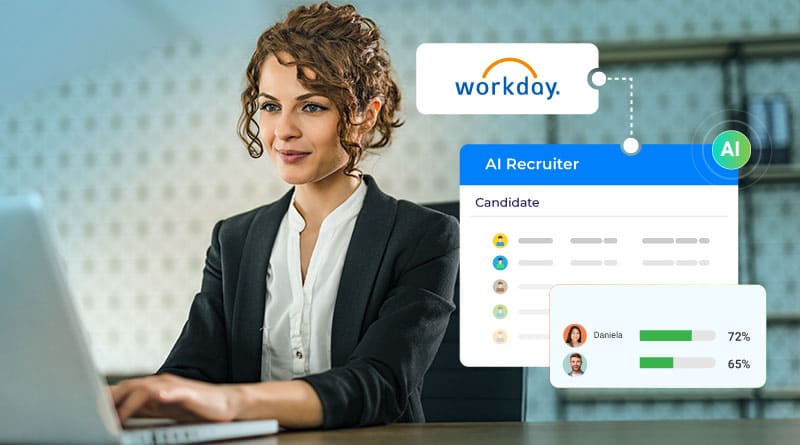
    Ready to bring smart, conversational sourcing directly into your Workday workflow? See how the CloudApper AI Recruiter conversational chatbot can accelerate and improve your hiring today.

  • AI Chatbots: The Smart Way to Cut Healthcare Costs, Reduce No-Shows, and Drive Revenue Growth

    AI Chatbots: The Smart Way to Cut Healthcare Costs, Reduce No-Shows, and Drive Revenue Growth

    Have you ever wondered how AI chatbots are helping healthcare providers slash operational costs, minimize expensive no-shows, and unlock new revenue streams through better efficiency and patient retention?

    In today’s resource-constrained healthcare landscape, rising administrative expenses, missed appointments, and inefficiencies are major financial drains. AI-powered chatbots address these challenges head-on by automating routine patient interactions and optimizing workflows. They operate 24/7 to handle appointment scheduling, reminders, insurance queries, billing explanations, registration, and basic triage—tasks that traditionally tie up staff time and resources.

    A standout benefit is the dramatic reduction in no-show rates. Automated, personalized reminders via chatbots can decrease missed appointments by significant margins—often 20-60% in various studies and implementations—depending on the setup and patient population. Each prevented no-show preserves revenue (averaging hundreds of dollars per slot in many practices) and improves schedule utilization, directly boosting bottom-line performance while ensuring patients receive timely care.

    Cost savings extend far beyond no-shows. By offloading repetitive inquiries and administrative work, chatbots reduce staffing demands for call centers and front-desk operations, allowing organizations to reallocate personnel to higher-value activities. Industry estimates highlight substantial global savings—figures like $3.6 billion annually from AI-driven automation in healthcare have been cited, with ongoing efficiencies compounding the impact. These tools also minimize compliance risks through built-in safeguards and streamline processes that might otherwise lead to errors or rework.

    On the revenue side, improved patient engagement translates to better retention and more completed care cycles. Chatbots foster consistent follow-ups, enhance adherence to treatment plans (with some reports showing notable gains in medication compliance), and encourage return visits or preventive screenings. Higher satisfaction—driven by instant, convenient support—often leads to positive reviews, referrals, and stronger loyalty, helping practices grow their patient base organically.

    The healthcare chatbots market reflects this value proposition, with recent valuations ranging from around USD 1.2 billion in 2024 to projections of multi-billion-dollar growth at CAGRs frequently in the 20-24% range over the coming years. Adoption continues to accelerate as providers seek measurable ROI through cost reduction, revenue protection, and operational streamlining.

    Building or integrating an effective AI chatbot is accessible with no-code platforms. Typical steps include:

    1. Targeting financial pain points — Prioritize areas like no-show prevention, inquiry volume, or billing delays.
    2. Securing and customizing — Tune for accuracy while ensuring HIPAA compliance and data protection.
    3. Training with real data — Incorporate organizational knowledge for precise, context-rich responses.
    4. Designing efficient flows — Create seamless, multi-channel conversations (web, app, SMS) that drive actions like bookings or payments.
    5. Deploying for impact — Integrate with scheduling or billing systems and monitor ROI metrics.

    CloudApper Conversational AI Chatbot provides a tailored, high-ROI solution with collaborative specialized agents:

    • Patient Registration Agent — Speeds intake to fill slots faster.
    • Appointment Management Agent — Automates booking, rescheduling, and powerful reminders to cut no-shows.
    • Billing Agent — Resolves queries quickly to accelerate payments.
    • Insurance Verification Agent — Confirms coverage upfront to avoid claim issues.
    • Patient Service Feedback Agent — Captures insights to refine revenue-driving services.
    • Compliance Agent — Safeguards operations and reduces risk-related costs.

    With reliable uptime, broad channel support, and focus on personalization, CloudApper delivers cost efficiencies, no-show reductions, revenue gains, and smoother operations—empowering providers to thrive financially while maintaining quality care.

    Ready to turn AI into a financial advantage for your healthcare organization?

    For implementation details: How to Build an AI Chatbot for Healthcare Patient Engagement

    Discover CloudApper Conversational AI Chatbot for cost savings, reduced no-shows, and enhanced patient experiences: Improve Patient Experience & Reduce Health Worker Burnout with Conversational AI

  • Closing Skill Gaps Before They Cost You: How AI Turns Reactive HR Training into Proactive Talent Power

    Closing Skill Gaps Before They Cost You: How AI Turns Reactive HR Training into Proactive Talent Power

    AI in Training and Development in HR is quietly delivering one of its highest-ROI advantages: proactive, real-time skill gap closure that stops capability shortfalls from turning into missed deadlines, stalled projects, or lost talent.

    Unlike traditional assessments that happen once a year (if at all), cutting-edge AI continuously evaluates employee proficiency through smart, conversational questioning—mapping current skills against role demands, upcoming projects, and individual career trajectories. It then instantly prescribes the most effective interventions: micro-courses, peer mentoring suggestions, hands-on labs, or external certifications—delivered at the exact moment the gap is identified.

    A mid-sized IT company put this into practice with CloudApper hrGPT and witnessed rapid, measurable change. The platform’s dynamic skill profiling narrowed disparities across engineering, product, and support teams; routed people to highly relevant resources without HR intervention; and kept compliance training current automatically. Employees felt genuinely supported in their growth, driving a 40% increase in training satisfaction scores. Meanwhile, the administrative overhead of coordinating, tracking, and reporting on development activities dropped by 60%—freeing HR to focus on leadership development, diversity initiatives, and strategic workforce planning.

    This predictive approach doesn’t just fix problems faster; it builds organizational resilience by ensuring the right capabilities are always in place exactly when they’re needed.

    For the complete overview of AI’s role in modern training—including skill-gap tactics, personalization strategies, compliance automation, and real implementation stories—read the in-depth guide here: How Is AI Used in Training and Development in HR.

    Ready to stop reacting to skill gaps and start preventing them? Explore how CloudApper hrGPT makes proactive talent development simple and powerful—download the brochure today and see the difference it can make for your organization.

  • Why Tablet-Based Time Clocks Are the Smarter Upgrade for Today’s Workforce

    Why Tablet-Based Time Clocks Are the Smarter Upgrade for Today’s Workforce

    If your business still relies on traditional wall-mounted time clocks, bulky kiosks, or paper timesheets, you’re dealing with outdated technology that’s expensive, rigid, and increasingly frustrating for employees.

    Tablet-based time clock systems offer a clean, modern alternative — using standard iPads or Android tablets (often devices you already have) to let staff clock in and out securely and quickly, with added self-service features that actually make daily life easier.

    Why tablet time clocks are winning over businesses in 2025:

    • Much lower cost — Tablets are 70–80% cheaper than proprietary kiosks — no specialized hardware, no expensive installation, no ongoing vendor maintenance fees.
    • Flexible & mobile — Place tablets wherever work happens (entrances, break rooms, production floors, field sites) — or let employees use their own phones when needed.
    • Hygienic & touchless — Face ID or fingerprint options eliminate shared buttons/keypads — a big win for health-conscious workplaces.
    • Employee self-service built in — Staff can clock in/out, view schedules, request time off, swap shifts, check accruals, and see pay info — all from one device, reducing HR support calls.
    • Offline reliability — Punches are captured locally and auto-synced when internet returns — perfect for warehouses, construction sites, or remote locations.
    • Strong fraud prevention — Biometric verification (Face ID >99.5% accurate) + optional geofencing stops buddy punching and time theft — protecting payroll accuracy.
    • Easy integration — Real-time sync with major HR/payroll platforms (Workday, UKG Ready/Dimensions, Ceridian Dayforce, ADP, Paychex, etc.) — no manual exports or double-entry.

    CloudApper AI TimeClock takes this approach further — turning any compatible tablet into a full-featured, touchless time clock and self-service hub — without the high cost or rigidity of legacy systems.

    At Kernello, we believe simple, employee-friendly tools like tablet-based time clocks help create more efficient, engaged, and compliant teams — reducing friction and supporting better business outcomes.

    Ready to replace outdated time clocks with a flexible, tablet-powered solution that employees actually like using?

    Discover CloudApper AI TimeClock — the leading tablet clock-in system for secure, touchless time tracking and workforce management: CloudApper AI TimeClock – Employee Timeclock Application

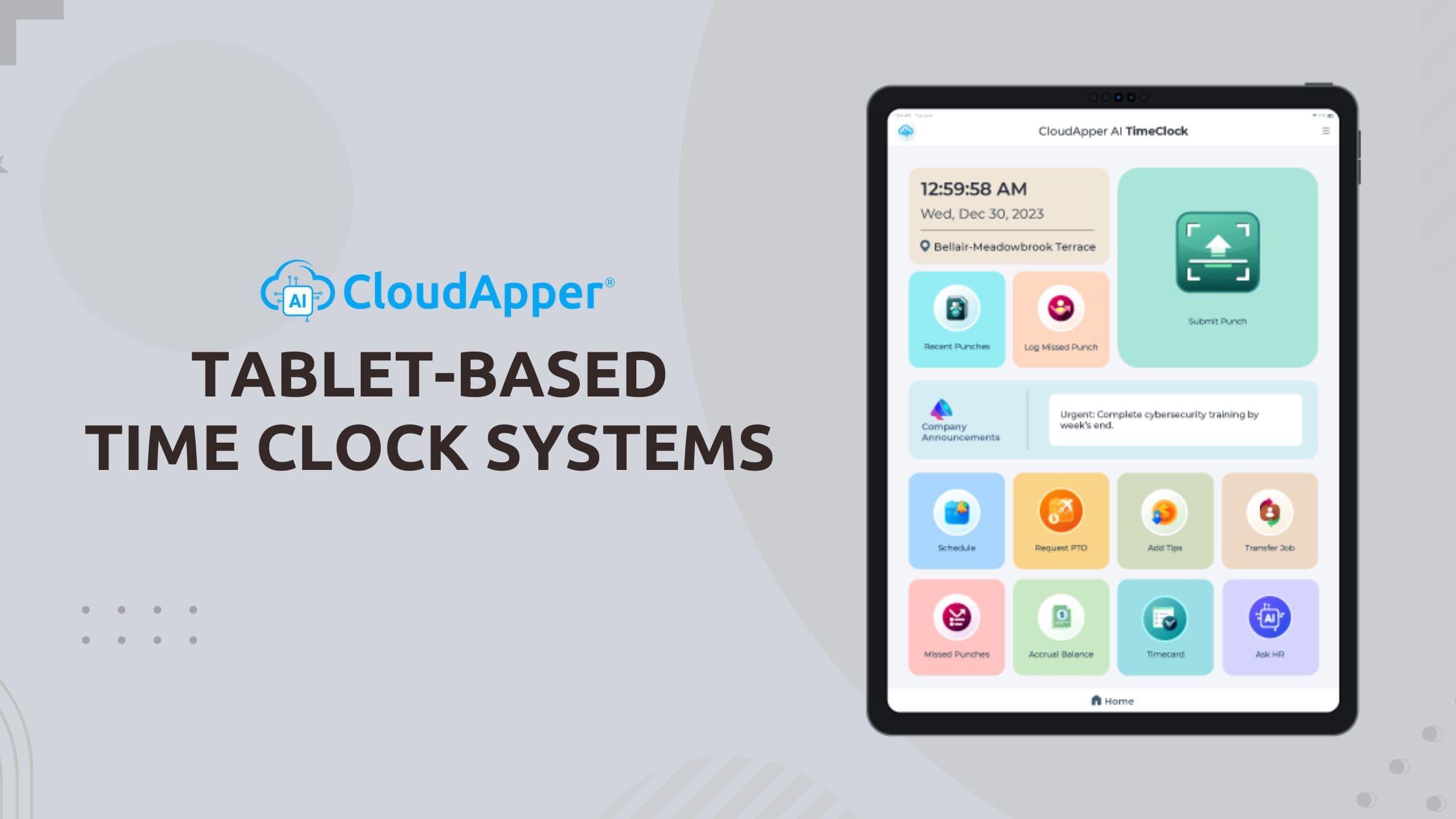
    Want the full feature list, cost comparison, integration options, and why tablet-based systems are becoming the new standard for workforce management? Read the original CloudApper article: Tablet-Based Time Clock Systems for Employees: Streamlining Workforce Management

  • Secure Workday Biometric Time Clock Integration: Eliminate Buddy Punching and Strengthen Payroll Compliance

    Secure Workday Biometric Time Clock Integration: Eliminate Buddy Punching and Strengthen Payroll Compliance

    Buddy punching, time theft, and inaccurate punches remain some of the most persistent payroll risks — costing organizations an estimated 2–5% of gross payroll annually through inflated hours, overtime abuse, and compliance violations. Traditional time clocks (PINs, swipe cards, shared fingerprint scanners) are easy to game and difficult to audit.

    Workday biometric time clock integration done right changes that completely.

    CloudApper AI TimeClock turns affordable tablets or iPads into secure, touchless biometric terminals that integrate natively with Workday Time Tracking — delivering fraud-proof verification, full auditability, and compliance-grade controls without proprietary hardware.

    How it strengthens security and compliance:

    • Touchless Face ID with liveness detection — >99.5% accuracy, works with masks, glasses, PPE, and varying lighting — eliminates buddy punching and spoofing attempts
    • No stored biometric images — encrypted templates only, compliant with GDPR, CCPA, SOC 2, and HIPAA — addresses privacy concerns while maintaining strong identity verification
    • Real-time audit trails — every punch, authentication event, and data sync is logged and pushed to Workday with timestamps, device IDs, and user context
    • Optional GPS geofencing — enforces location-based punching rules (e.g., must be on-site for clock-in) — prevents off-site fraud
    • Role-based access & Workday sync — permissions mirror Workday roles; punches, job transfers, labor levels, shift differentials, and accruals flow bidirectionally via certified APIs
    • Offline resilience with secure sync — data captured locally during outages, encrypted, and auto-synced when connected — no lost records, no manual reconciliation
    • Full compliance readiness — supports IRS rounding rules, FLSA requirements, union policies, and audit needs — all changes traceable in Workday

    Unlike legacy kiosks that rely on weak authentication and generate fragmented audit logs, CloudApper gives you a modern, biometric-first Workday time clock that is secure by design, cost-effective (70–80% lower hardware spend), and easy to deploy across sites.

    If payroll fraud, buddy punching, or compliance gaps are keeping you up at night, biometric integration with Workday is one of the highest-ROI fixes available.

    Ready to lock down time tracking with secure, touchless biometrics that integrate seamlessly with Workday?

    Explore CloudApper AI TimeClock for Workday — fraud-proof, compliant biometric integration built for accuracy and trust: CloudApper AI TimeClock for Workday

    Want the full security architecture, API mapping, anti-fraud proof points, and how it eliminates buddy punching while strengthening Workday compliance? Read the original CloudApper article: Integrating Biometric Time Clocks with Workday

  • Best Workday Time Clock Alternatives: Touchless Biometric Setup Guide & Cost Comparison

    Best Workday Time Clock Alternatives: Touchless Biometric Setup Guide & Cost Comparison

    Workday time clock hardware is facing serious competition from touchless biometric time clock alternatives that deliver better security, lower costs, and easier scalability. Companies are increasingly searching for affordable Workday time tracking solutions that eliminate buddy punching, support hybrid/remote workforces, meet strict hygiene standards, and integrate natively—without the six-figure price tags of legacy terminals.

    CloudApper AI TimeClock continues to rank among the top biometric alternatives for Workday thanks to its innovative tablet-based approach and powerful AI features.

    Key reasons it’s a favorite Workday time clock replacement:

    • Advanced touchless facial biometrics — Secure, spoof-resistant recognition for fast, contact-free clock-ins/outs
    • 75%+ hardware cost savings — Repurpose low-cost iOS or Android tablets instead of buying expensive Workday-certified devices
    • Built-in fraud prevention — Geofencing, offline mode (with delayed sync), AI anomaly alerts, job/labor-level tracking, and real-time audit trails
    • Employee empowerment — Self-service features like viewing schedules, submitting time-off requests, checking accruals, and accessing paystubs directly from the clock
    • Fast, low-friction Workday integration — Native sync to Time Tracking and Payroll modules — minimal IT setup, quick employee enrollment, and global scalability for industries like manufacturing, healthcare, retail, logistics, and hospitality

    With growing emphasis on cost-effective, compliant time and attendance systems, CloudApper offers enterprise-level functionality at a fraction of traditional costs—making it ideal for mid-market and enterprise teams looking to modernize.

    Want the practical, up-to-date walkthrough showing exactly how to deploy a dedicated Workday touchless time clock terminal using this solution?

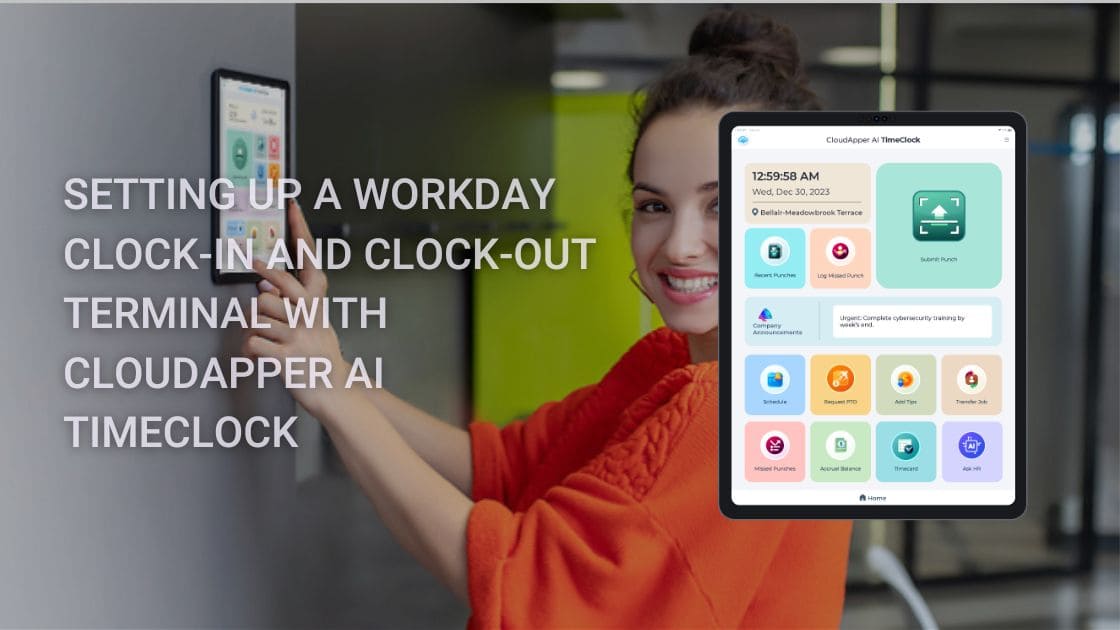
    Read the complete step-by-step setup guide for CloudApper AI TimeClock with Workday →

    Ready to replace outdated hardware with smarter, more affordable biometric time tracking for Workday?

    Explore CloudApper AI TimeClock – Touchless, Affordable Biometric Time Clock Solution for Workday Time Tracking & Payroll →

    Reduce payroll errors, prevent time theft, improve compliance, and cut costs dramatically—upgrade your Workday time capture strategy today.

  • Cut Scheduling Chaos and Overtime Costs: The Power of Self-Service Shift Management in Workday

    Cut Scheduling Chaos and Overtime Costs: The Power of Self-Service Shift Management in Workday

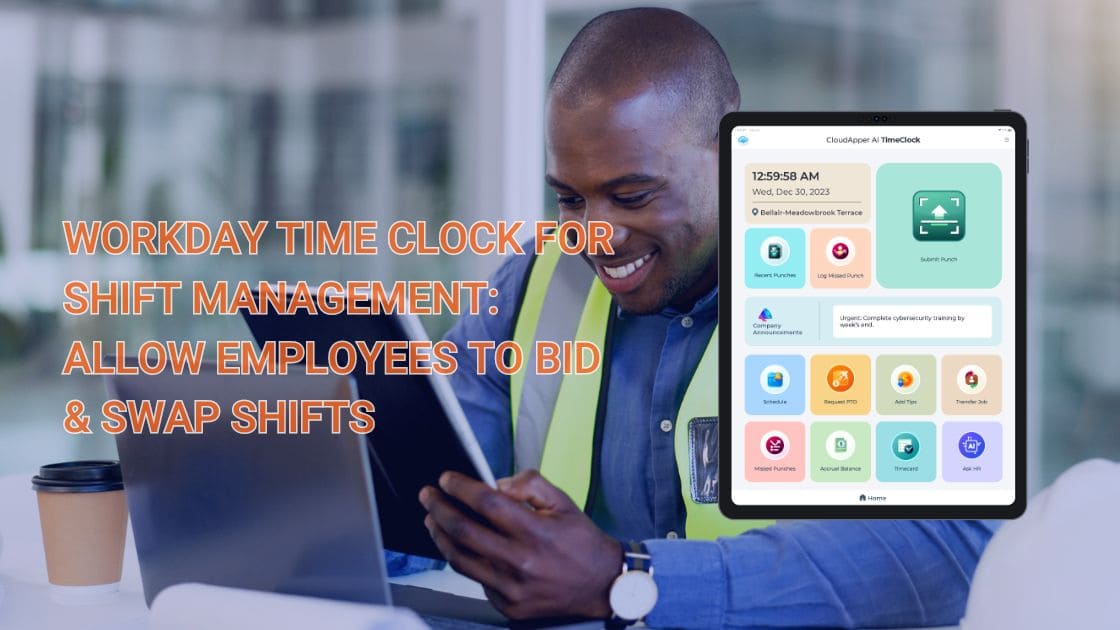
    This article draws inspiration from CloudApper’s original guide on transforming shift workflows in Workday. For the full feature walkthrough, integration details, and practical examples, read the complete article here: Workday Time Clock for Shift Management: Allow Employees to Bid & Swap Shifts

    Shift scheduling is one of the most labor-intensive tasks in HR and operations — especially in industries with unpredictable demand, high turnover, and 24/7 coverage requirements. Coordinators often spend hours (or days) every week reviewing requests, filling open slots, resolving conflicts, and manually updating Workday calendars.

    The hidden costs are significant:

    • Overtime and coverage gaps — last-minute unfilled shifts drive up overtime expenses and stress existing staff
    • Administrative overhead — coordinators burn time on emails, spreadsheets, and phone calls instead of strategic work
    • Compliance exposure — inconsistent application of union rules, seniority, or labor laws increases audit risk
    • Employee dissatisfaction — rigid schedules that ignore personal needs contribute to higher voluntary turnover

    The fix isn’t adding more coordinators — it’s empowering employees with self-service tools inside Workday itself.

    Modern Workday shift management solutions let frontline workers take charge of their schedules:

    • Shift bidding — employees browse open shifts and submit bids based on preferences, seniority, or availability
    • Shift swap — workers propose direct trades with qualified colleagues; the system checks eligibility and sends notifications for fast manager approval
    • Job bidding — bid on preferred roles, tasks, or departments when openings appear
    • Vacation bidding — compete fairly for desired vacation slots during peak periods or annual cycles, with automated enforcement of rules
    • Mobile clock-in/out — secure, touchless punching (Face ID, PIN, QR, NFC) from any device, with offline support and real-time sync to Workday Time Tracking
    • Real-time visibility — everyone sees updated schedules, coverage status, and accruals instantly

    By shifting responsibility to employees, organizations typically achieve:

    • 50–70% reduction in scheduling admin time
    • Fewer unfilled shifts and lower emergency overtime costs
    • Stronger compliance through automated enforcement of seniority, qualifications, and union policies
    • Higher employee engagement and retention (flexibility is a top driver of satisfaction)
    • Complete audit trails — every bid, swap, and approval is logged in Workday for reporting and audits

    CloudApper AI TimeClock brings these capabilities to Workday without requiring expensive proprietary hardware. Employees use affordable tablets or their own phones, while data flows natively and securely to Workday via certified APIs.

    For more on CloudApper’s touchless biometric features and AI-assisted tools designed specifically for Workday, visit: CloudApper AI TimeClock for Workday

    The outcome is a more agile, cost-effective scheduling process that reduces overhead, minimizes errors, improves coverage, and turns employees into active contributors to workforce planning — all while maximizing your existing Workday investment.

    If your current Workday shift management still relies on manual coordination, the inefficiency is likely costing far more than you realize.

    Ready to reduce scheduling chaos, cut overtime, and give employees real control?

    Explore the original CloudApper article for in-depth details on how Workday shift management becomes employee-driven with shift bidding, shift swap, job bidding, vacation bidding, and mobile time tracking: Workday Time Clock for Shift Management: Allow Employees to Bid & Swap Shifts