Author: Matthew Bennett

  • How Universities Using Workday and Paycom Can Finally Get Accurate Hours for Adjunct, Student, and Hourly Staff — Without the Payroll Fire Drill

    How Universities Using Workday and Paycom Can Finally Get Accurate Hours for Adjunct, Student, and Hourly Staff — Without the Payroll Fire Drill

    If you manage HR or payroll at a college or university running Workday HCM and Paycom, you’re dealing with one of the most complicated workforce compositions in any industry.

    On any given pay period, your institution is processing wages for full-time faculty and administrators, adjunct instructors teaching across multiple departments, student workers logging hours in dining halls and libraries, facilities staff split across multiple buildings and shifts, and part-time hourly staff in athletics, events, and research labs.

    Each of these groups has a different pay rate, a different supervisor, a different schedule, and in some cases, a different compliance obligation under the ACA. They clock in at different locations — sometimes different campuses entirely. And somehow, all of that has to land in Workday accurately before it flows to Paycom for payroll processing.

    For most institutions, this process involves more manual reconciliation than anyone on your team would like to admit.


    Where Higher Education Payroll Actually Breaks Down

    The problem isn’t the Workday-to-Paycom integration itself. It’s everything upstream — specifically, how time data is captured from a workforce that is structurally resistant to standardization.

    Consider what your payroll team navigates every cycle:

    Adjuncts teaching at multiple departments may be tracked by different department coordinators with different approval habits. One coordinator submits hours on time every week. Another emails a spreadsheet two days after the payroll cutoff.

    Student workers often rely on self-reported hours or supervisor sign-offs that come in inconsistently. A student working 18 hours one week and 6 the next creates ACA variable-hour tracking obligations that can’t be managed with manual logs.

    Facilities and maintenance staff work overnight and weekend shifts across multiple buildings. Without a consistent clock-in mechanism, supervisors estimate hours — which is both inaccurate and a compliance liability.

    Hourly research assistants and lab staff may be funded across multiple grants or cost centers, meaning their hours need to be split and coded correctly before payroll — not reconciled after the fact by your finance team.

    The result is a payroll cycle where your team spends the final day before cutoff chasing approvals, correcting entries, and reconciling time data before it’s ready to flow into Paycom.


    A Time Clock Built for the Complexity of Campus Workforces

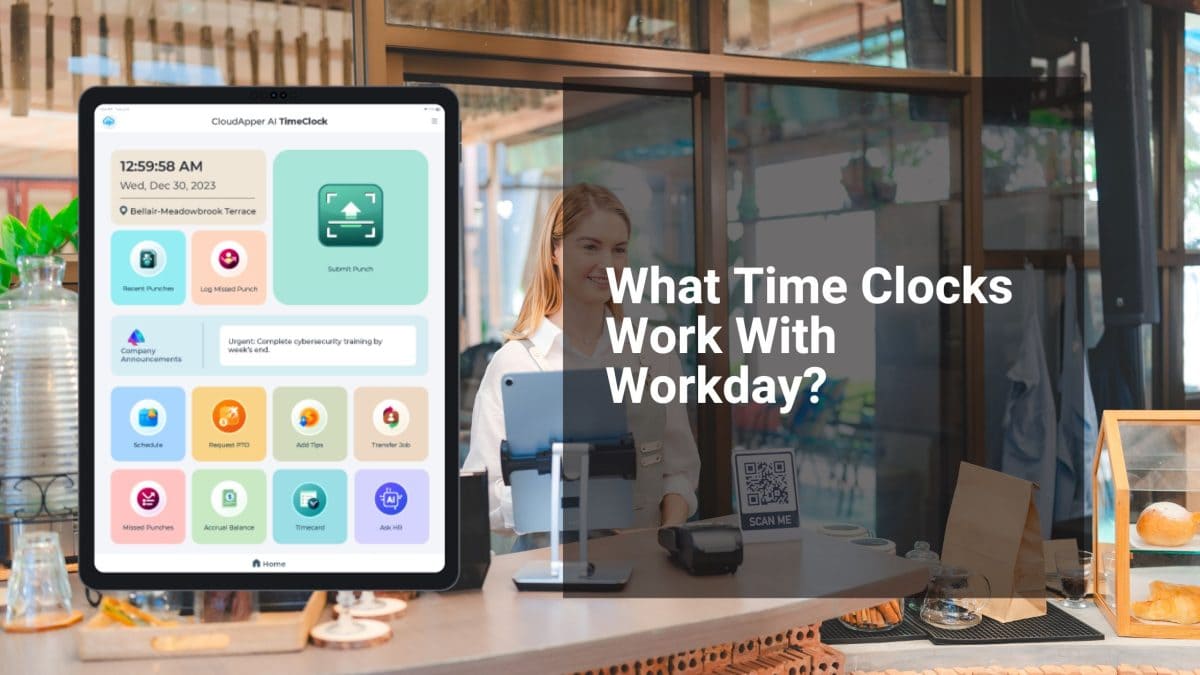
    CloudApper AI TimeClock is designed for exactly the kind of mixed, multi-location workforce universities manage. Rather than requiring proprietary hardware or a campus-wide infrastructure project, it runs on any existing iPad or Android tablet — which means you can deploy it in a department office, a dining hall, a library help desk, or a facilities break room within days.

    Here’s what it solves, specifically for higher education:

    Biometric clock-in eliminates buddy punching and timesheet fraud. For student workers and hourly staff sharing a department tablet, facial recognition ensures only the verified employee can log their own hours. No cards, no PINs, no workarounds.

    Department-level cost center coding at punch time. When an adjunct or student worker clocks in, they select the department, grant, or cost center their hours belong to. That data flows directly into Workday pre-coded — your finance team stops reallocating labor charges after the fact.

    ACA variable-hour tracking built into the data flow. For adjuncts and part-time staff whose benefits eligibility depends on hours worked over a measurement period, the system maintains a continuous, audit-ready log. No more reconstructing hours from paper timesheets when open enrollment arrives.

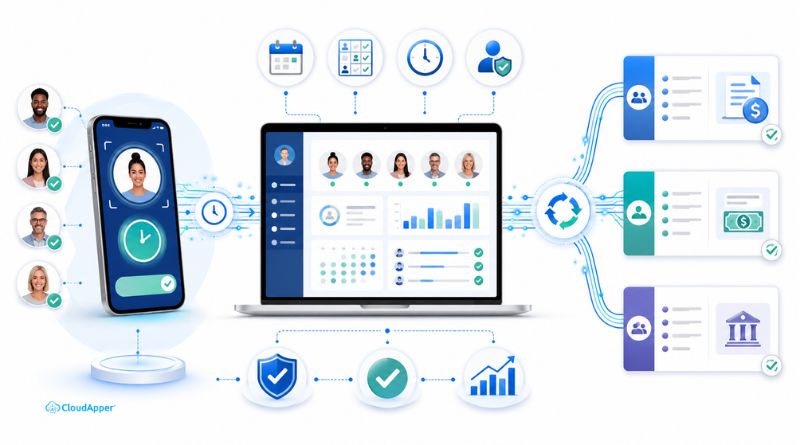
    Real-time Workday sync, then clean handoff to Paycom. Once hours are captured and approved, CloudApper’s enterprise iPaaS platform applies your pay rules — overtime thresholds, student FICA exemptions, differential pay for evening facilities shifts — before pushing clean, payroll-ready data to Paycom.

    For the technical foundation of how this Workday-to-Paycom pipeline works, see the full integration guide: Integrating Workday HCM with Paycom, Paycor, and Paylocity for Payroll Processing.


    The ACA Compliance Angle Universities Can’t Ignore

    For institutions with more than 50 full-time equivalent employees, the ACA requires tracking variable-hour employees — adjuncts, student workers, part-time staff — over a defined measurement period to determine benefits eligibility. This is one of the most compliance-sensitive payroll obligations universities face, and it cannot be satisfied with reconstructed or estimated hours.

    CloudApper AI TimeClock creates a continuous, timestamped record of every punch for every employee category. When your benefits team needs to run an ACA look-back calculation, the data is already structured, complete, and ready — not assembled from department spreadsheets the week before the deadline.


    What Changes When You Standardize Time Capture

    Universities that move from fragmented, supervisor-dependent time collection to a centralized AI time clock connected to Workday and Paycom typically see:

    • Payroll closes faster — approved, rule-compliant hours reach Paycom automatically, without a day of manual corrections
    • Adjunct pay disputes drop — a biometric record of hours worked is far easier to verify than a spreadsheet submitted by a department coordinator
    • Grant labor reporting becomes accurate — hours coded at punch time mean research cost reports reflect actual effort, not estimated allocations
    • HR team capacity increases — the hours your staff spend chasing timesheets go toward strategic work instead

    Getting Started on Campus

    Step 1 — Start with your highest-volume hourly departments. Dining services, facilities management, and the library are typically where the most manual time reconciliation happens. Pilot there first.

    Step 2 — Map your pay rule complexity before deployment. Student FICA exemptions, adjunct per-course rates, shift differentials for overnight facilities staff — the CloudApper team configures these as rulesets so Paycom receives pre-classified, accurate hours from day one.

    Step 3 — Connect your ACA tracking requirements. Define which employee categories require measurement-period tracking and build that into the clock-in workflow. The data captures automatically from there.

    Higher education HR teams carry an enormous administrative burden relative to their size. The institutions that reduce that burden aren’t adding headcount — they’re eliminating the manual steps between a clock-in and a paycheck.

    → Explore CloudApper AI TimeClock, learn about the full CloudApper platform, or see how enterprise system integration connects Workday and Paycom for institutions managing complex workforce structures.
  • How Frontline-Heavy Industries Can Integrate AI with UKG, Workday, or SAP SuccessFactors

    How Frontline-Heavy Industries Can Integrate AI with UKG, Workday, or SAP SuccessFactors

    If your workforce punches a time clock, works in rotating shifts, or operates across multiple sites, you already know that standard HR platform features weren’t built with you in mind.

    Healthcare organizations managing 24/7 scheduling. Manufacturing facilities juggling shift differentials and union rules. Retail chains handling high turnover and seasonal staffing. These environments share one common frustration: their HCM handles payroll and compliance fine, but falls short everywhere the workforce gets complex.

    That’s exactly where AI integration makes the biggest difference — and where platforms like UKG, Workday, and SAP SuccessFactors have the most room to grow.


    Why Frontline Workforces Need More From Their HCM

    Standard HCM platforms are designed around a fairly predictable employee model: salaried workers, fixed schedules, desktop access. For office-based teams, that works well.

    For frontline-heavy industries, the reality is different:

    • Employees may not have email addresses or regular computer access
    • Shift changes, overtime rules, and site-specific compliance requirements vary constantly
    • HR queries — “What’s my PTO balance?” “Can I swap Thursday’s shift?” — come in high volume from workers who have no easy way to self-serve
    • Scheduling conflicts and missed punches generate significant manual work for supervisors and HR teams alike

    These aren’t edge cases. For healthcare, manufacturing, retail, hospitality, and logistics organizations, this is the daily operating reality. And most HCM platforms, even robust ones, offer limited out-of-the-box support for it.


    What AI Integration Actually Solves in These Environments

    Integrating AI with your existing HR platform — without replacing it — directly addresses the friction points that frontline operations teams live with every day.

    Here’s what that looks like in practice:

    Automated shift and scheduling workflows Instead of supervisors manually resolving scheduling conflicts or filling last-minute openings, AI handles assignment logic based on your rules — availability, certifications, overtime thresholds, union agreements. The HCM stays updated. The manual work disappears.

    Self-service access for employees without desks A tablet-based kiosk or mobile interface — powered by AI and connected to your HCM — lets frontline workers check schedules, request time off, view accruals, and get answers to HR questions on the floor, without calling anyone. One organization reduced missed time punches from over 25% per week to under 5% after deploying this kind of connected self-service layer.

    Conversational AI for HR queries An AI assistant trained on your HR policies handles the repetitive questions that flood HR inboxes — benefits questions, PTO rules, onboarding steps — instantly and accurately, at any hour.

    Compliance automation by site, role, or agreement Frontline operations often have location-specific labor rules or collective bargaining requirements that generic HCM workflows can’t accommodate. AI-driven automation handles these as configured logic, not manual exception management.


    The Integration Approach That Doesn’t Disrupt Operations

    For industries where systems downtime or process disruption is not an option, the integration model matters as much as the capability.

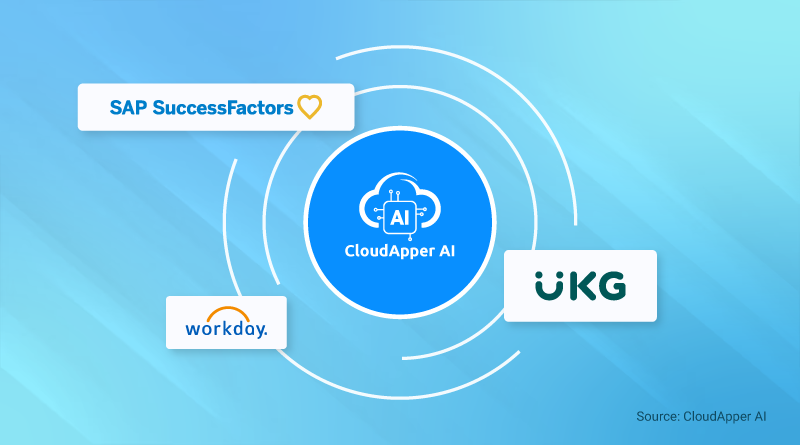
    CloudApper WorkBridge is built to extend UKG, Workday, SAP SuccessFactors, and other major HCM platforms from the outside — connecting via API and adding AI capabilities without modifying the core system. Nothing in your existing platform changes. Your data stays where it is. WorkBridge adds the workflows, self-service tools, and automations on top.

    For HR and operations teams in complex workforce environments, this means:

    • No risk to a live, business-critical system
    • No IT dependency to build or change workflows
    • No waiting on vendor roadmaps to get functionality your workforce needs now
    • Customizations that survive platform updates and vendor migrations

    The full technical breakdown of how AI integration works across these platforms is covered here: How to Seamlessly Integrate AI with HR Platforms Like UKG, Workday, or SAP SuccessFactors


    Where to Start

    If your organization runs a frontline-heavy workforce, the fastest path to value is identifying the single highest-friction point between your employees and your HCM — and fixing it first.

    For most teams, that’s one of three things: a self-service gap, a scheduling workflow, or a compliance exception process that’s being handled manually. Pick one. Deploy a WorkBridge solution for it. Measure the result. Then expand.

    That’s a faster, lower-risk path than any platform evaluation — and it makes your existing HCM investment work harder immediately.

    Explore CloudApper WorkBridge to see how it’s being used in healthcare, manufacturing, retail, and other frontline-heavy environments today.

    Ready to close the gap between your HCM and your workforce? Get started with WorkBridge →

  • What Hotel and Restaurant Groups on Workday Get Wrong About Time Clock Compliance

    What Hotel and Restaurant Groups on Workday Get Wrong About Time Clock Compliance

    Hospitality payroll has a compliance layer that most other industries don’t deal with: tipped employees. And the rules around tipped employees — federal tip credit, state minimum wage floors, tip pooling documentation, dual-job tracking — are specific enough that getting them wrong doesn’t just mean a payroll correction. It means wage claims.

    Most Workday time clock conversations focus on facial recognition and hardware costs. That’s fine for a warehouse. For a hotel group with 200 tipped workers spread across a restaurant, a bar, room service, and banquet operations, the real problem is that your time clock has no idea which role an employee is working when they punch in — and that distinction changes what they’re legally owed.

    Why Hospitality Breaks Generic Time Clock Logic

    A banquet server at your property might work Tuesday lunch in a tipped capacity and spend Thursday morning setting up for a conference in a non-tipped role. Under the FLSA’s dual-jobs rule, hours in the non-tipped role can’t be covered by the tip credit — they have to be paid at full minimum wage. If your time clock just captures a punch without capturing the role, your payroll team is guessing. Or missing it entirely.

    Multiply that across a 300-room hotel with food and beverage, housekeeping, front desk, and banquet operations — all with different pay structures, some tipped, some not — and you have a data accuracy problem baked into every pay period.

    There are three places this breaks down in practice:

    Role splits within a single shift. An employee moves from a tipped role to a non-tipped task. Without role capture at the transition, the tip credit applies to hours it legally can’t cover.

    Multi-property transfers. In a hotel group, employees frequently pick up shifts at different properties. Each property may have different tip pool structures, different state minimum wage floors, and different department codes in Workday. A punch at Property B needs to carry all of that context — not just a timestamp.

    Tip pool documentation. Several states now require written tip pool agreements and detailed records of tip distribution by employee and shift. That documentation starts with clean shift-level data. If the punch record doesn’t reflect the actual role worked, the tip pool record is wrong before it’s even created.

    What Role-Aware Punch Logic Actually Fixes

    CloudApper AI TimeClock addresses this at the point of punch, using configurable logic built on the CloudApper AI Platform.

    Role selection at every clock-in: When a tipped employee punches in, the interface presents their active roles from Workday — server, bartender, banquet setup, host. They select what they’re actually working. That selection drives the right pay code, tip credit eligibility flag, and department allocation — automatically, before the punch completes.

    Mid-shift role transfers: When an employee transitions from a tipped to a non-tipped task during a shift, they log a transfer punch with the new role. The system splits the shift automatically in Workday, applying the correct wage rules to each segment. No manual timecard edits required.

    Property-specific rule sets: Each property in a hotel group gets its own configuration — state minimum wage floor, tip pool structure, department codes, overtime thresholds. An employee picking up a shift at a sister property punches in under that property’s rules, not their home property’s. The data lands in Workday correctly regardless of where they worked.

    Attestation prompts for compliance documentation: At clock-out, employees can be prompted to confirm their tip earnings for the shift, acknowledge tip pool participation, or attest to break compliance — depending on state requirements. That attestation is stored with the punch record and syncs to Workday as audit-ready documentation.

    The configuration architecture behind all of this — drag-and-drop rule building, pre-built Workday API integration, no development required — is the same platform detailed in the CloudApper customization overview. Hospitality just applies it to tip credit logic and role splits instead of job costing or clinical credentials.

    The Multi-Property Operational Reality

    Hotel groups have an additional layer of complexity that single-location restaurants don’t: employees aren’t always where their HR record says they are. Managers cover shifts at other properties. Banquet staff float between venues. A cross-trained front desk employee picks up a room service shift during a busy weekend.

    When that happens with a standard time clock, the punch either lands on the wrong property’s records or doesn’t get captured at all until someone notices the missing hours.

    With geofencing enabled in CloudApper, each property has a defined location boundary. When an employee punches in, the system confirms they’re physically at the property associated with that punch — and routes the data to the correct cost center and entity in Workday. No manual reallocation, no inter-property correction tickets at month end.

    Why Touchless Matters Specifically in Food Service

    Shared-surface time clocks in food and beverage environments create real operational friction — health codes, inspection concerns, and general hygiene standards make fingerprint scanners and shared PIN pads genuinely problematic in a commercial kitchen or service corridor.

    CloudApper uses touchless facial recognition on any standard iOS or Android tablet. No contact, no shared surfaces, and enrollment is automatic for anyone added to Workday — no badge to issue, no PIN to distribute, no manager required to onboard a new hire during a busy Friday dinner service.

    For a restaurant group adding seasonal staff across multiple locations, that matters.

    Getting This Configured for a Hotel Group on Workday

    The configuration path follows the same logic as your existing payroll structure:

    1. Map your tipped and non-tipped roles per property: These already exist in Workday as position types. CloudApper surfaces them at the punch interface — you’re not recreating the data, you’re capturing it at the right moment.
    2. Define your tip credit eligibility rules by state: Federal tip credit is the floor; several states don’t allow it at all. Each property gets the right rule applied automatically based on its location.
    3. Configure attestation prompts per jurisdiction: States with tip pool documentation requirements get a clock-out attestation. States without don’t. Same system, different rules per location.
    4. Enable geofencing per property: GPS boundaries confirm location at every punch and route data to the correct entity in Workday.
    5. Connect via pre-built Workday integration: Punch data, role selections, attestations, and property codes sync in real time. Certified tip credit documentation is a report pull — not a reconstruction project.
    6. Pilot at your highest-volume property: One full pay period with clean, role-validated data tells you exactly how many manual corrections the old system was generating and how many it isn’t anymore.

    Hospitality payroll teams already manage enough complexity from scheduling, seasonal volume, and high turnover. A time clock that forces them to manually sort out tip credit eligibility and role splits after every pay period isn’t a neutral tool — it’s a liability that compounds with every property you add.

    One that captures role, location, and attestation data at the punch and feeds it directly into Workday is what makes multi-property hospitality payroll actually scalable.

    See how CloudApper AI TimeClock handles hospitality and multi-property Workday environments →

  • Workday Time Clock for Government Contractors: Why Geofencing Makes Labor Audits Defensible

    Workday Time Clock for Government Contractors: Why Geofencing Makes Labor Audits Defensible

    Government contractors have always lived with the knowledge that their labor records could be audited. Defense Contract Audit Agency reviews, GSA schedule audits, inspector general investigations — the common thread is that billable hours need to be accurate, attributable, and verifiable. Not approximately right. Verifiable.

    Most Workday deployments in this space handle the cost-center and CLIN-code allocation side of things well. Employees log time against contract line items, projects get charged correctly, and Workday’s reporting gives finance teams the visibility they need for invoicing. Where the chain breaks is at the punch itself. When a contractor employee enters hours manually, or clocks in on a mobile device without location enforcement, the record in Workday shows what the employee said happened — not what actually did.

    For a commercial employer, that distinction is a payroll accuracy concern. For a government contractor working on cost-reimbursable contracts, it’s a false claims exposure.

    The Audit Problem Isn’t the Spreadsheet — It’s the Source Data

    Auditors reviewing labor costs on a government contract don’t just check whether the math adds up. They check whether the hours were actually worked at the locations claimed. An employee who logged eight hours on a contract site but punched in from a coffee shop down the road creates exactly the kind of discrepancy that triggers a finding — even if the work was genuinely done and the billing was accurate.

    Workday’s native time tracking captures what employees enter. It doesn’t independently verify that a person was physically at the contract site when the punch occurred. For organizations in commercial industries, that’s an acceptable gap. For firms subject to FAR Part 31 cost principles, the Defense Contract Audit Agency, or state-level contract oversight, it isn’t.

    Geofencing changes the audit posture. When the time clock only accepts a punch from within the defined boundary of a contract work site, every record in Workday carries embedded location verification. The punch isn’t an attestation — it’s a confirmed, GPS-stamped event tied to a specific place and time.

    How CloudApper AI TimeClock Adds This Layer to Workday

    CloudApper AI TimeClock for Workday runs on a standard iOS or Android tablet deployed at each contract site. Employees clock in using face recognition inside the geofenced boundary. The verified punch — location confirmed, identity confirmed, timestamp recorded — syncs directly into Workday’s time tracking module.

    For contractors managing work across multiple sites or task orders, different geofences can be configured for each location. An employee working at two different government facilities in the same week clocks in at each site on its own device, and Workday receives separate verified records for each. The allocation to the correct contract line item stays in Workday’s hands, where it belongs. The location verification that makes those records auditable is handled at the hardware layer before the data ever reaches Workday.

    The offline capability matters here too. Sensitive facilities sometimes restrict cellular signal. Punches captured without connectivity queue locally and sync to Workday when the device reconnects — no gap in the audit trail, no need for manual correction later.

    The broader case for geofencing within Workday WFM is covered in the original guide: Why Workday WFM Users Need Geofencing and How to Get It with Ease.

    For government contractors, the value isn’t just operational efficiency. It’s the difference between labor records that survive audit scrutiny and records that create findings. A verified punch is a better document than an employee’s word — and for organizations billing the federal government, that distinction matters every single day.

  • One Workday Time Clock Config. Multiple States. One Quiet Compliance Problem

    One Workday Time Clock Config. Multiple States. One Quiet Compliance Problem

    Here’s a scenario that plays out more often than the lawsuits reveal: a company operating in fifteen states deploys the same Workday time clock setup at every location. IT configured it once, it integrates cleanly, and nobody touches it. Payroll runs. Nobody flags anything.

    Then comes California.

    California doesn’t follow federal break rules. It mandates a 30-minute meal break before the fifth hour of work — not after, not whenever. It requires a second meal break for shifts over ten hours. Rest breaks are legally distinct from meal breaks and must be tracked separately. Miss any of this consistently across a location, and the liability isn’t theoretical — California wage claims routinely run to six figures before they settle.

    A time clock configured for federal FLSA compliance doesn’t automatically cover California law. Or New York’s spread-of-hours rules. Or Washington’s mandatory rest break tracking. Each state has its own specifics, and a static hardware clock — or a Workday integration configured once and left alone — enforces whatever rules it was set up with, not the ones that apply where it’s physically located.

    This is exactly the scenario this breakdown of Workday-compatible time clocks matters for — not just whether a clock integrates with Workday, but whether it can apply location-specific rules at the device level, per site, without requiring separate hardware or a fresh IT project for every state.

    Software-based tablet clocks configured through a no-code platform can carry different rule sets per location. CloudApper AI TimeClock for Workday does this — the California location enforces California break rules at the punch, triggers the right attestations, and logs the data Workday needs for compliance reporting. The Texas location runs its own config. Same platform, different rules, no hardware change.

    One time clock that does the same thing everywhere sounds efficient. In a multi-state operation, it’s a compliance gap waiting to be found.


    AI audit — remaining tells:

    • “plays out more often than the lawsuits reveal” is good — specific and grounded
    • “Miss any of this consistently across a location” — “consistently” is slightly hedging; cut it
    • “not theoretical — California wage claims routinely run to six figures before they settle” — strong, keep
    • The middle section is slightly listy in rhythm; could use one more varied sentence
    • Closing line lands well — punchy without being slogan-y

    Final version:


    One Workday Time Clock Config. Multiple States. One Quiet Compliance Problem.

    Here’s a scenario that plays out more often than the lawsuits reveal: a company operating across fifteen states deploys the same Workday time clock setup at every location. IT configured it once, it integrates cleanly, nobody touches it. Payroll runs. No flags.

    Then comes California.

    California doesn’t follow federal break rules. It mandates a 30-minute meal break before the fifth hour of work — not after, not whenever. A second meal break kicks in for shifts over ten hours. Rest breaks are legally distinct from meal breaks and must be tracked separately. Miss any of this at a California location, and the exposure isn’t abstract. Wage claims in California routinely reach six figures before settlement — and the employer’s defense of “that’s how our system was configured” has never once held up.

    A time clock set up for FLSA compliance doesn’t automatically cover California law. Or New York’s spread-of-hours rules. Or Washington’s mandatory rest period tracking. Each has its own specifics, and a static hardware clock — or a Workday integration that was configured once and never revisited — enforces whatever rules it was originally built around, regardless of where it’s physically running.

    This is the practical question a real comparison of Workday-compatible time clocks needs to answer: not just whether the clock syncs with Workday, but whether it can carry different rule sets per location — without separate hardware or a new IT project per state.

    Software-based tablet clocks built on a no-code platform can do this. CloudApper AI TimeClock for Workday applies location-specific break enforcement, attestation prompts, and compliance logging at each site individually — the California clock runs California rules, the Texas clock runs its own, same platform throughout.

    One standardized time clock config sounds like operational efficiency. Across multiple states, it’s often just a compliance gap that hasn’t surfaced yet.

  • Eliminating Payroll Errors: Why Accurate Casino Tip Tracking Matters

    Eliminating Payroll Errors: Why Accurate Casino Tip Tracking Matters

    Payroll errors related to tips are among the most frustrating and expensive problems for casino operators. Miscounted gratuities, incorrect tip pooling distributions, and delayed reporting create constant headaches for HR and payroll teams while breeding distrust among dealers and service staff. Reliable casino tip tracking has become essential for preventing these costly mistakes.

    Manual tip collection methods — whether paper forms, spreadsheets, or verbal reports — are highly prone to human error. In a fast-paced casino environment with high tip volumes, even small mistakes multiply quickly, leading to incorrect paychecks, employee disputes, back payments, and potential IRS compliance violations.

    CloudApper AI offers a modern, automated solution tailored for casinos. Employees use intuitive tablet stations to declare cash and credit tips in real time at the end of every shift. The system intelligently handles complex tip pooling arrangements, automatically calculates each employee’s share, and transfers accurate data directly into leading HCM and payroll systems such as UKG, Workday, Oracle, and Dayforce.

    This seamless automation delivers clear results:

    By removing manual data entry and calculation errors, casinos significantly reduce tip-related disputes. Employees gain confidence that their hard-earned tips are tracked fairly and paid correctly, resulting in improved morale and smoother operations.

    Key Advantages:

    • Error-free tip pooling and distribution
    • Real-time visibility for managers
    • Automatic compliance with IRS requirements
    • Seamless integration with existing payroll platforms
    • Reduced risk of costly corrections and disputes

    Modern casino tip tracking allows finance and HR teams to replace tedious manual work with reliable automation, creating a more efficient and harmonious workplace.

    Read the full original article: How CloudApper AI Streamlines Casino Tip Tracking for IRS Compliance and Employee Satisfaction

    Stop payroll errors before they start. Discover the solution: CloudApper Tip Management for HCM Compliance

  • Maximizing Recruiter Productivity with AI in Dayforce Recruiting

    Maximizing Recruiter Productivity with AI in Dayforce Recruiting

    Recruiters managing Dayforce Recruiting (Ceridian Dayforce ATS) in retail, hospitality, logistics, and manufacturing often feel overwhelmed. High-volume hiring demands constant sourcing, screening, and communication, leaving little time for strategic work like interviewing and relationship building.

    CloudApper AI Recruiter integrates seamlessly with your Dayforce Recruiting Software to automate repetitive tasks, dramatically boosting recruiter productivity while maintaining full control inside your existing ATS.

    The Productivity Crisis in Dayforce Recruiting

    Manual processes — sifting through applications, answering basic questions, and chasing candidates — consume most of a recruiter’s day. During peak hiring periods, this leads to burnout, slower hiring, and inconsistent results.

    AI-powered sourcing directly addresses these issues by:

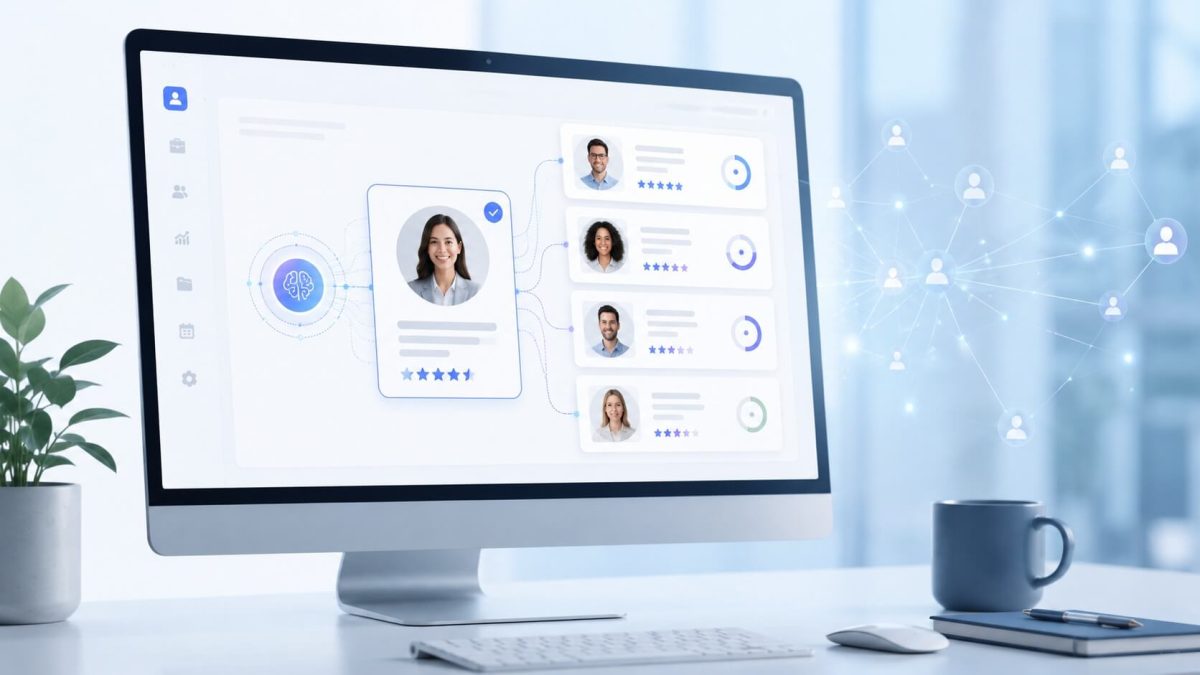
    • Instantly scanning and ranking candidates in Dayforce based on skills, experience, availability, and custom job criteria.
    • Using conversational AI to handle initial engagement, answer FAQs, and pre-qualify applicants 24/7.
    • Automating routine follow-ups and status updates, freeing recruiters to focus on closing top talent.

    This intelligent automation multiplies what a single recruiter can achieve without increasing headcount.

    Key Benefits for Dayforce Teams

    • Significant Time Savings: Cut manual screening time by up to 70%, allowing recruiters to manage higher requisition loads.
    • Consistent Hiring Quality: AI applies uniform, unbiased criteria across all candidates in your Dayforce system.
    • Better Work-Life Balance: Reduced administrative burden helps prevent recruiter burnout and turnover.
    • Seamless Integration: Full bidirectional sync with Dayforce — no new platforms, no data duplication, and no IT headaches.
    • Industry-Tailored Rules: Customize AI behavior for your specific needs, whether it’s shift workers in retail or skilled technicians in manufacturing.

    Read the full guide: AI Sourcing Candidates from Ceridian Dayforce Recruiting Software (ATS)

    Ready to empower your recruiting team? Explore the CloudApper AI Recruiter for Dayforce and unlock higher productivity from your current Dayforce investment.

    Key Takeaways

    • AI augments Dayforce Recruiting by handling repetitive work automatically.
    • Recruiters gain valuable time for high-impact activities that drive better hires.
    • Easy, native integration delivers fast productivity gains with zero disruption.

    By adding targeted AI to Dayforce, talent acquisition teams can achieve more with less effort, hire faster, and operate efficiently even during the busiest seasons.

  • How to Build a Workday AI Chatbot That Cuts HR Costs and Boosts Productivity

    How to Build a Workday AI Chatbot That Cuts HR Costs and Boosts Productivity

    TL;DR:

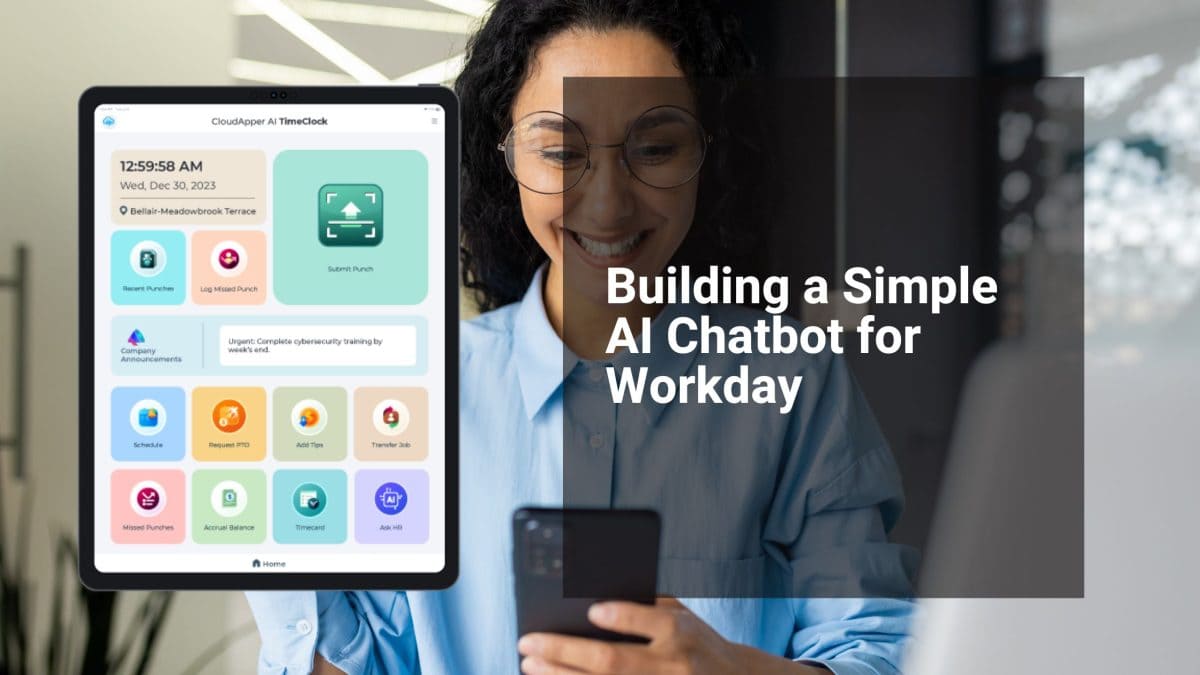
    A Workday AI Chatbot empowers employees to resolve HR queries instantly through natural conversation. It handles leave requests, payroll questions, benefits, and more — significantly lowering HR workload while improving the overall employee experience.

    Workday is a robust HCM system, but many organizations still deal with high volumes of repetitive HR inquiries. Employees often avoid the standard self-service portal due to its complexity, resulting in overloaded HR inboxes and increased operational costs. A smart Workday AI Chatbot directly tackles this challenge by offering an intuitive, conversational alternative that connects seamlessly with Workday data.

    Why a Workday AI Chatbot Is a Game-Changer

    HR departments supporting Workday environments spend countless hours answering basic questions. An intelligent Workday AI Chatbot uses natural language processing to understand intent and deliver accurate responses around the clock. This reduces ticket volume, frees HR professionals for strategic work, and maximizes the value of the Workday platform.

    Core Benefits:

    • Sharp reduction in HR operational costs
    • 24/7 instant support for employees
    • Higher employee engagement and satisfaction
    • Better adoption of Workday self-service features
    • Secure and compliant handling of sensitive data

    Simple Steps to Build Your Workday AI Chatbot

    1. Identify Key Employee Needs Focus on frequent requests such as leave balance checks, time-off submissions, payslip access, attendance tracking, and benefits information.
    2. Choose a No-Code Workday Integration Tool Select a specialized platform that connects easily with Workday without requiring developers or complex coding.
    3. Set Up Secure Integration Link the chatbot directly to your Workday tenant for real-time information and secure transaction processing.
    4. Test, Monitor, and Refine Launch with essential features, review conversation data, and continuously improve the chatbot’s performance.

    CloudApper hrGPT provides a fast, effective solution for building a powerful Workday AI Chatbot tailored to your organization’s needs.

    For a complete employee self-service solution, integrate your chatbot with intelligent time tracking. Discover the CloudApper AI TimeClock for Workday, offering touchless biometric clocking with AI assistance for effortless attendance and payroll.

    Final Thoughts

    A Workday AI Chatbot is one of the most effective ways to reduce HR costs, streamline operations, and deliver modern self-service employees expect. It transforms how your workforce interacts with HR and unlocks greater ROI from your Workday investment.

    Ready to get started? Read the original step-by-step guide: Building a Simple AI Chatbot for Workday.

  • Workday HCM Integration with Paycom, Paycor, and Paylocity: Automate Time Data Flow and Cut Payroll Processing Time

    Workday HCM Integration with Paycom, Paycor, and Paylocity: Automate Time Data Flow and Cut Payroll Processing Time

    Companies that rely on Workday HCM for HR and workforce management often select specialized payroll platforms such as Paycom, Paycor, or Paylocity for their robust payroll capabilities. The main obstacle is bridging the gap between these systems. Without a strong connection, HR teams end up handling manual data transfers, repeated file exports, and constant reconciliations — leading to delays, inaccuracies, and higher operational costs.

    A well-designed Workday HCM integration with Paycom, Paycor, and Paylocity creates a smooth, automated pipeline for time and attendance data, significantly reducing errors and speeding up payroll cycles.

    The foundation of an efficient integration is accurate time capture at the source. An AI-powered facial recognition time clock for Workday allows employees to clock in and out effortlessly using touchless biometrics on any tablet or iPad. The system records precise hours, breaks, overtime, and absences, then pushes the validated data directly into Workday. From there, information flows seamlessly into your payroll provider — whether Paycom, Paycor, or Paylocity — without manual intervention or spreadsheets.

    Core Benefits of Effective Workday Payroll Integration

    • Automated data synchronization: Time data moves in real time, keeping both systems consistently updated.
    • Drastically reduced errors: Eliminates mismatches caused by manual entry or outdated exports.
    • Faster payroll cycles: Shortens processing time and removes last-minute corrections.
    • Lower administrative workload: HR spends less time reconciling data and more time on strategic tasks.
    • Better compliance and visibility: Maintains accurate, audit-ready records while giving managers clearer insights into labor costs.

    This best-of-breed strategy lets organizations maximize Workday’s HCM strengths alongside the payroll expertise of Paycom, Paycor, or Paylocity, all unified through intelligent time tracking.

    If manual processes and data silos are slowing down your payroll, it’s time for a better approach.

    Discover the affordable, touchless biometric AI TimeClock designed specifically for Workday: CloudApper AI TimeClock for Workday

    For the complete guide on integrating Workday HCM with Paycom, Paycor, and Paylocity, read the original source article: Integrating Workday HCM with Paycom, Paycor, and Paylocity for Payroll Processing | CloudApper AI

  • How Hospitality Businesses Can Prevent Service Disruptions with an AI-Powered Workday Time Clock

    How Hospitality Businesses Can Prevent Service Disruptions with an AI-Powered Workday Time Clock

    In hospitality, staffing consistency directly shapes guest experience. Whether it’s a hotel front desk, restaurant floor, or banquet service team, even a single unexpected absence can lead to slow service, overwhelmed staff, and dissatisfied guests. Unlike many industries, hospitality cannot afford delays in identifying or replacing absent employees during live operations.

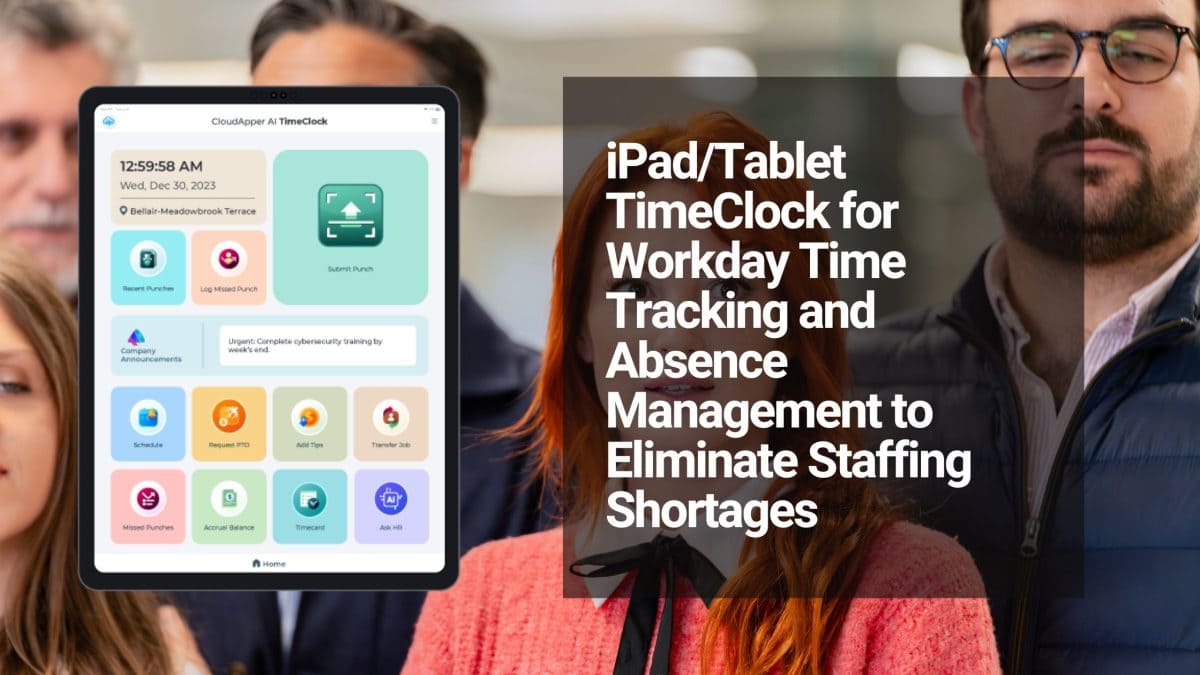
    The article “iPad Tablet Time Clock for Workday Time Tracking and Absence Management to Eliminate Staffing Shortages” highlights how AI-driven time tracking integrated with Workday helps hospitality teams manage attendance and absences in real time to avoid service breakdowns.

    The Hospitality Staffing Challenge: High Turnover and Unpredictable Absences

    Hotels and restaurants often operate with fluctuating schedules and high employee turnover. This creates frequent workforce instability, especially during peak service hours. Traditional systems fall short because they:

    • Record absences after the fact instead of in real time
    • Rely on manual shift replacement processes
    • Lack visibility into live staffing levels across departments
    • Increase pressure on managers during rush periods

    These gaps lead to inconsistent guest service and employee burnout.

    AI-Powered Workday Time Clock for Hospitality Operations

    A tablet-based AI time clock integrated with Workday HCM gives hospitality managers real-time visibility into staffing across all service areas. Instead of reacting to no-shows, managers can immediately adjust staffing levels as situations change.

    In a hospitality environment, the system enables:

    • Instant tracking of clock-ins, late arrivals, and absences
    • Automated leave requests and approvals inside Workday
    • Real-time visibility into open shifts across departments
    • Touchless or biometric clock-in for hygiene-sensitive spaces
    • Centralized workforce and payroll synchronization

    Source: https://www.cloudapper.ai/ai-time-clock/workday/ipad-tablet-timeclock-for-workday-time-tracking-and-absence-management-to-eliminate-staffing-shortages/

    Preventing Service Gaps Before Guests Notice

    The biggest advantage for hospitality businesses is speed of response. When an employee calls out or fails to show up, AI-powered systems immediately flag the gap, allowing managers to act before service is affected.

    This enables teams to:

    • Quickly reassign staff from other areas (e.g., housekeeping to front desk support)
    • Fill open shifts with available employees in real time
    • Reduce reliance on expensive last-minute staffing agencies
    • Maintain consistent service quality during peak hours

    Streamlining Absence Management in Workday

    Absence handling becomes significantly more efficient when automated within Workday. Employees can submit leave requests digitally, and approvals are processed instantly through structured workflows.

    This reduces:

    • Delays in shift reassignments
    • Miscommunication between departments
    • Manual scheduling conflicts
    • Administrative workload on supervisors

    It also ensures managers always have an accurate view of workforce availability before and during each shift.

    Improving Guest Experience Through Better Workforce Control

    In hospitality, staffing directly impacts guest satisfaction. With AI-driven workforce tracking, managers can better align staffing levels with occupancy rates, reservation spikes, and event schedules.

    This leads to:

    • Faster service response times
    • More balanced workloads for staff
    • Improved guest satisfaction scores
    • Fewer operational bottlenecks during peak demand

    Conclusion

    For hospitality businesses, staffing shortages are not just operational issues—they directly affect guest experience and revenue. An AI-powered Workday time clock provides real-time visibility, automated absence management, and smarter shift control to prevent service disruptions.

    By shifting from reactive scheduling to intelligent workforce management, hospitality teams can maintain smooth, consistent service even during unpredictable staffing changes.

    Explore the solution here:
    https://www.cloudapper.ai/affordable-touchless-biometric-ai-time-clock-for-workday-time-tracking-payroll/

    Read the original article here:
    https://www.cloudapper.ai/ai-time-clock/workday/ipad-tablet-timeclock-for-workday-time-tracking-and-absence-management-to-eliminate-staffing-shortages/