Author: Matthew Bennett

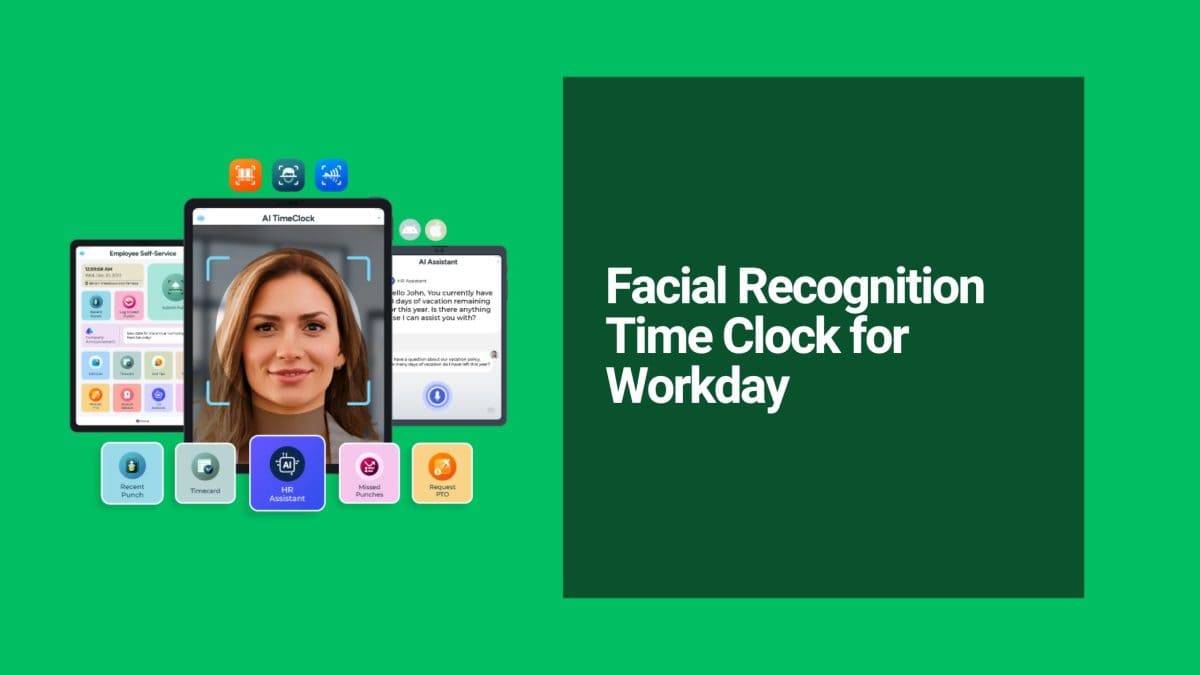
  • Facial Recognition Time Clock for Workday: Streamline Shift Management and Eliminate Overtime Surprises

    Facial Recognition Time Clock for Workday: Streamline Shift Management and Eliminate Overtime Surprises

    Shift-based teams using Workday HCM frequently struggle with unreliable attendance data. Manual logs, badge systems, or PIN codes often result in missed punches, unapproved overtime, and last-minute payroll surprises that disrupt scheduling and inflate labor budgets. A facial recognition time clock built for Workday offers a precise, industry-neutral solution that automates attendance tracking and delivers real-time visibility directly into your HCM and payroll system.

    This AI-powered system turns any tablet or iPad you already own into a fast, touchless biometric station. Employees simply look at the screen to clock in or out. Advanced 3D facial mapping with anti-spoofing technology verifies identity instantly and accurately, even in high-traffic or varied lighting conditions.

    Why Workday Users Choose a Facial Recognition Time Clock

    • Ends overtime and scheduling chaos: Accurate, automated clock data prevents unapproved hours and gives managers live insights to optimize shifts without guesswork.
    • Seamless real-time Workday integration: Every clock-in, break, absence, and overtime entry flows automatically into Workday Time Tracking and Payroll—no manual reconciliation or spreadsheets needed.
    • Prevents time theft completely: Biometric face verification stops buddy punching and ghost employees while remaining non-invasive and employee-friendly.
    • Self-service tools at the clock: Workers can view schedules, request time off, check accruals, and ask the built-in AI assistant HR questions instantly, reducing back-and-forth with HR.
    • No-cost hardware and rapid deployment: Works on devices you already have, making it easy to scale across multiple locations or growing teams without budget strain.

    The hygienic touchless design also supports safer, more modern workplaces while keeping all data fully compliant with privacy regulations.

    Workday organizations no longer need to tolerate fragmented attendance systems that waste time and money. A dedicated facial recognition time clock delivers the accuracy, speed, and control needed for smoother operations and predictable payroll.

    Ready to gain real-time control over shifts and payroll? Discover the affordable, touchless biometric AI TimeClock designed specifically for Workday: CloudApper AI TimeClock for Workday

    For the complete overview of how facial recognition technology transforms Workday time tracking, read the original source article: Facial Recognition Time Clock for Workday | CloudApper AI
  • Workday Time Clock Cost: How Time Theft and Buddy Punching Turn Expensive Systems into Even Bigger Losses

    Workday Time Clock Cost: How Time Theft and Buddy Punching Turn Expensive Systems into Even Bigger Losses

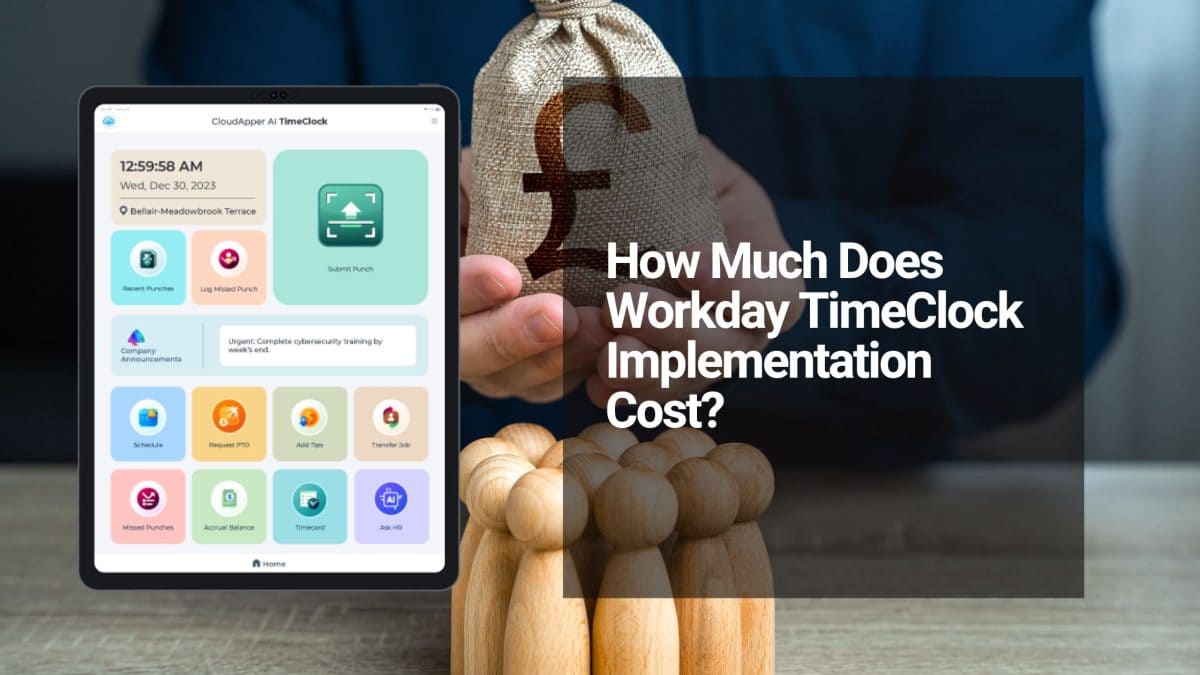
    Many organizations investing in Workday time clock implementation face sticker shock from the start. Full deployments typically cost between $300,000 and $800,000, including configuration, data migration, integrations, training, and change management. Add ongoing per-employee fees of $3.50 to $7 per month for attendance features, plus hardware, maintenance, and broader HCM licensing, and the total cost of ownership climbs rapidly.

    Yet the most damaging expense is often invisible: time theft and buddy punching. Outdated or easily bypassed time clocks allow employees to clock in for each other, inflate hours, or manipulate shifts. Even small daily losses multiply across large or shift-based teams, resulting in significant payroll overpayments, distorted labor costs, and weakened trust.

    Why Traditional Workday Time Clocks Struggle to Stop Time Theft

    Proprietary hardware solutions are costly to scale and maintain, while their interfaces can feel cumbersome. Without strong biometric safeguards or real-time validation, inaccuracies persist, leading to disputes, compliance risks, and unnecessary administrative workload.

    A Smarter, More Secure Alternative for Accurate Time Tracking

    Forward-thinking companies are replacing rigid systems with affordable touchless biometric time clocks that integrate natively with Workday. These solutions turn any standard iPad or Android tablet into a secure, intelligent kiosk — delivering powerful protection without the heavy price tag.

    Key features that directly combat time theft include:

    • Touchless facial recognition — Verifies identity instantly and virtually eliminates buddy punching.
    • Geofencing and location validation — Ensures punches occur only at authorized sites.
    • Offline functionality with auto-sync — Reliable data capture even without internet.
    • Multiple punch options — Face ID, QR code, barcode, or NFC for flexibility.
    • Real-time rules and validations — Automates overtime, PTO, and shift logic directly into Workday payroll.
    • Built-in 24/7 AI assistant — Employees self-serve time inquiries, reducing HR burden while improving transparency.

    This modern approach cuts implementation and hardware costs dramatically (often by 75%), strengthens compliance, and delivers fast, accurate data to Workday — helping organizations reclaim lost labor dollars and boost productivity.

    If time theft and inaccurate attendance are quietly inflating your Workday time clock expenses, explore a secure, cost-effective solution designed for today’s workforce.

    → Stop time theft and simplify tracking: CloudApper AI TimeClock for Workday Time Tracking & Payroll

    Original source: How Much Does Workday Time Clock Implementation Cost?

  • No-Code Mobile Apps: Automate Business Processes and Boost Field Productivity Without Coding

    No-Code Mobile Apps: Automate Business Processes and Boost Field Productivity Without Coding

    Manual workflows continue to slow down operations. Teams in the field, on client sites, or working remotely waste valuable time on paper forms, spreadsheets, and back-and-forth emails for approvals. These outdated processes lead to errors, delays, and limited visibility. No-code mobile apps offer a practical solution by enabling any business to build custom mobile tools that automate processes quickly and cost-effectively—without writing a single line of code.

    The Persistent Problem: Manual Tasks Dragging Down Efficiency

    Many organizations still rely on disconnected systems where data is captured on paper or in basic tools and then manually transferred later. This double effort increases mistakes, slows decision-making, and frustrates employees who need instant access to information while away from their desks. From service requests and inventory updates to sales reporting and compliance checks, these inefficiencies add up to lost productivity and higher operational costs.

    No-code mobile apps directly address this pain point by bringing automation and real-time data handling straight to users’ smartphones.

    How No-Code Mobile Apps Automate Everyday Business Processes

    With user-friendly drag-and-drop builders, companies can create tailored mobile apps that deliver powerful capabilities:

    • Real-time data capture on the go — Collect information through forms, photos, signatures, GPS, or barcode scans directly in the field. Data syncs instantly to central systems, cutting out manual entry errors.
    • Automated workflows and notifications — Set rules that automatically route tasks, trigger approvals, send alerts, or update records across departments.
    • Offline functionality — Teams continue working without reliable internet, with everything syncing seamlessly once connected.
    • Seamless integration — Link the apps to existing CRM, ERP, or database systems for live data access and updates without extra effort.

    These features turn mobile devices into smart business tools that fit your exact operations.

    Why No-Code is Ideal for Mobile Process Automation

    Developing traditional mobile apps is expensive, time-intensive, and often requires ongoing developer support. No-code platforms remove these obstacles with visual interfaces, pre-built templates, and rapid deployment. You can launch, test, and update apps in days, keeping pace with changing business needs.

    Many solutions also allow easy integration of AI agents, adding intelligent features like data analysis, recommendations, or automated decision-making directly within the mobile experience.

    Real-World Advantages Across Any Industry

    Businesses that implement no-code mobile apps for process automation see quicker task completion, improved accuracy, happier teams, and measurable cost savings. The flexibility to build branded, industry-specific solutions gives organizations a true competitive edge without the usual development headaches.

    If manual processes are still holding your teams back, it’s time to embrace mobile-first automation that empowers everyone to work smarter.

    Discover how to build custom enterprise mobile apps with CloudApper’s no-code low-code platform for enterprise software development: https://www.cloudapper.ai/no-code-low-code-platform-for-enterprise-software-development/.

    Supercharge your automation with CloudApper AI agents that integrate LLMs with your enterprise systems: https://www.cloudapper.ai/ai-platform-build-integrate-llm-with-enterprise-systems/.

    For additional insights on transforming business processes using mobile apps, read the original article here: https://www.cloudapper.ai/no-code-platform/using-mobile-apps-to-transform-business-processes/.

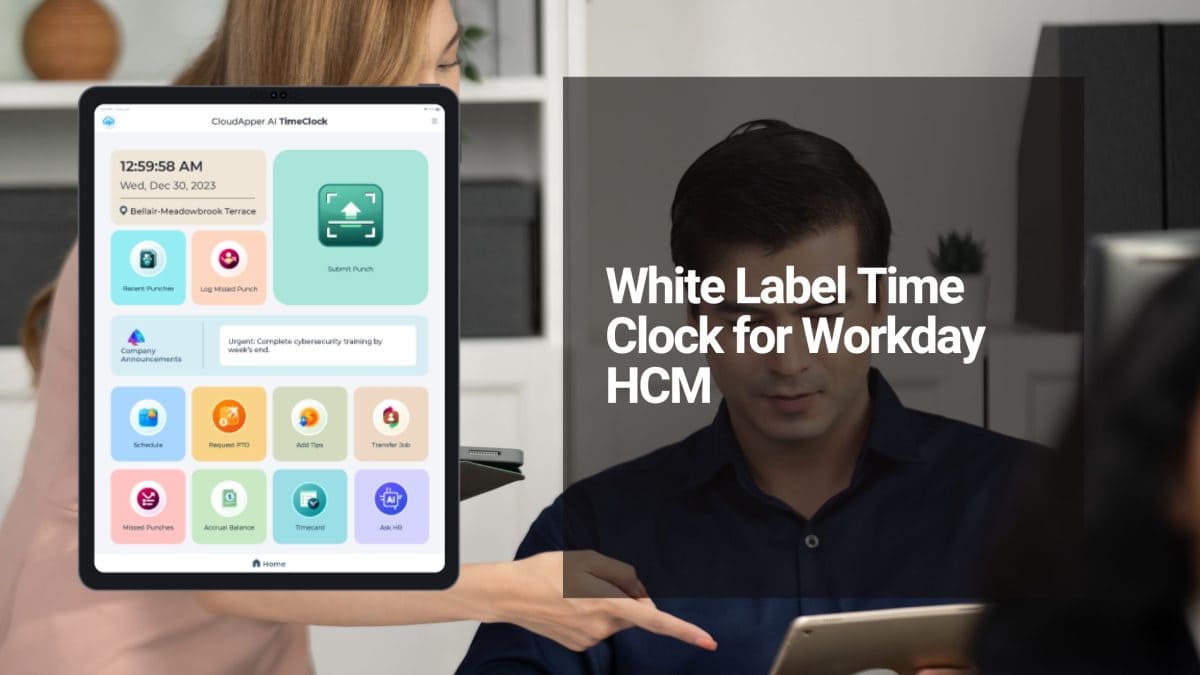
  • White Label Time Clock for Workday: Ensure Payroll Accuracy with Branded Time Tracking

    White Label Time Clock for Workday: Ensure Payroll Accuracy with Branded Time Tracking

    Many organizations using Workday HCM still face persistent payroll errors caused by inaccurate time capture, manual processes, and generic time clocks that employees underutilize. These issues lead to costly overtime disputes, compliance risks, and increased HR workload — all while failing to reflect the company’s professional brand.

    A white label time clock for Workday solves these challenges by delivering a fully branded, intelligent time tracking solution that ensures accuracy and encourages consistent employee usage.

    Bridging the Gap Between Branding and Accuracy

    When the time clock feels like a generic tool, employees are less motivated to use it correctly. White labeling transforms standard tablets into polished, on-brand kiosks that employees trust and engage with daily, resulting in more reliable time data flowing into Workday.

    Key Benefits for Payroll and Compliance

    • Full Brand Customization — Incorporate your logo, colors, and design to create a seamless, professional experience that reinforces company identity.
    • Accurate & Touchless Time Capture — Supports facial recognition, PIN, NFC, QR code, and barcode options to prevent buddy punching and time theft.
    • Employee Self-Service — Staff can easily view schedules, submit time-off requests, and check accrual balances directly on the kiosk.
    • Real-Time Workday Integration — Automatic synchronization with Workday HCM ensures precise payroll processing, absence management, and labor analytics.
    • Built-in Reliability — Features geo-fencing, offline mode, and 24/7 AI assistance reduce errors and support remote or hybrid teams.
    • Lower Costs — Runs efficiently on affordable tablets, eliminating the need for expensive dedicated hardware.

    By implementing a white label time clock for Workday, companies achieve higher time tracking accuracy, stronger compliance, reduced payroll discrepancies, and a more engaged workforce — all while maintaining consistent branding.

    Ready to improve payroll accuracy with a branded solution? Read the full guide: White Label Time Clock for Workday HCM

    For an affordable touchless biometric AI time clock optimized for Workday time tracking and payroll, explore: CloudApper AI Time Clock for Workday

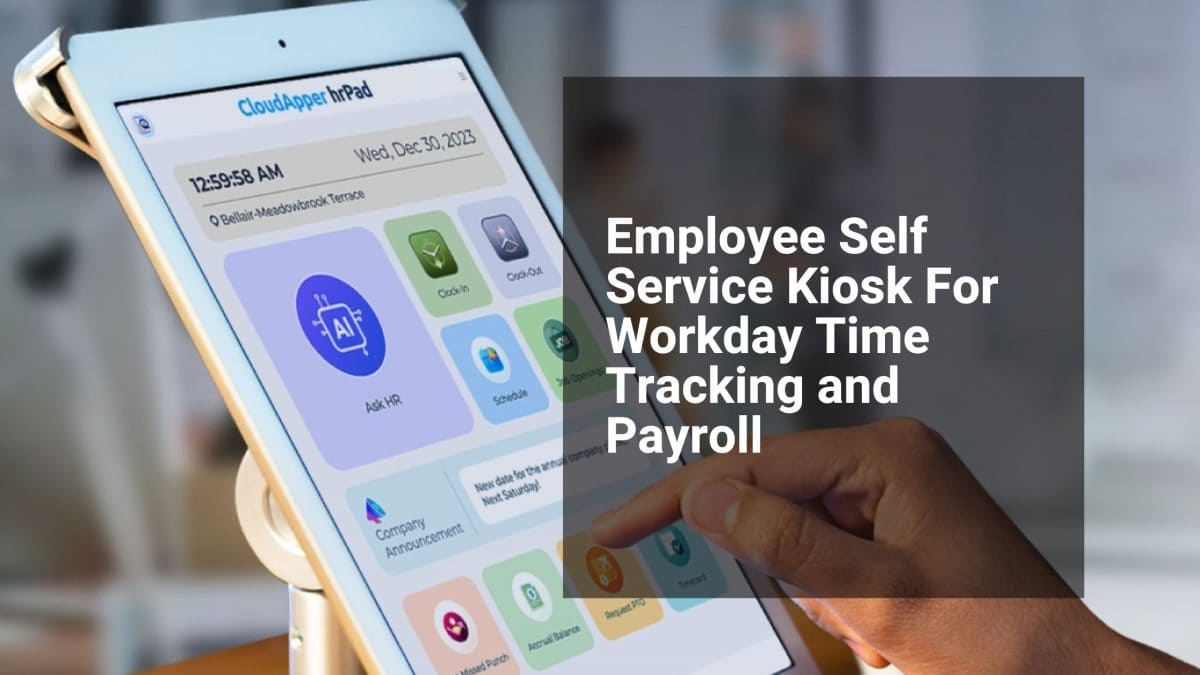
  • Workday Employee Self-Service Kiosk: Reduce Payroll Errors and Boost Frontline Productivity

    Workday Employee Self-Service Kiosk: Reduce Payroll Errors and Boost Frontline Productivity

    Deskless and frontline employees using Workday often struggle with inconvenient time tracking and payroll access. Long lines at shared terminals, manual processes, and limited self-service options frequently cause inaccurate timecards, buddy punching, delayed PTO requests, and excessive HR administrative work. A smart Workday employee self-service kiosk solves these challenges by turning any affordable tablet into a secure, intuitive self-service station placed directly in the work area.

    The solution offers seamless bidirectional integration with Workday Time Tracking and Payroll. Employees simply use touchless facial recognition to clock in and out, view real-time pay information, submit time-off requests, check leave balances, update personal details, and get instant answers from a built-in AI HR assistant. Offline mode captures every punch reliably, with automatic synchronization once connected. Geo-fencing ensures location accuracy and better compliance.

    This tablet-based kiosk is far more cost-effective and flexible than traditional fixed hardware. It requires no expensive infrastructure or custom coding, making it easy to deploy across multiple sites. Organizations benefit from fewer payroll errors, faster processing, reduced HR workload on routine tasks, and improved data accuracy. Employees gain convenient self-service access, leading to higher satisfaction and engagement.

    Key Advantages of Workday Employee Self-Service Kiosk:

    • Real-time bidirectional sync with Workday for timecards, absences, and payroll
    • Touchless Face ID and geo-fencing to prevent buddy punching and ensure compliance
    • Full self-service for PTO requests, accruals, and profile updates
    • 24/7 AI assistant for quick HR question resolution
    • Simple deployment on standard iOS and Android tablets

    A Workday employee self-service kiosk helps modernize workforce management, cut operational costs, and deliver a better daily experience for both employees and HR teams.

    Learn more in the original article: Employee Self Service Kiosk For Workday Time Tracking and Payroll.

    Discover the complete AI-powered tablet solution: hrPad AI Tablet for Workday Self-Service.

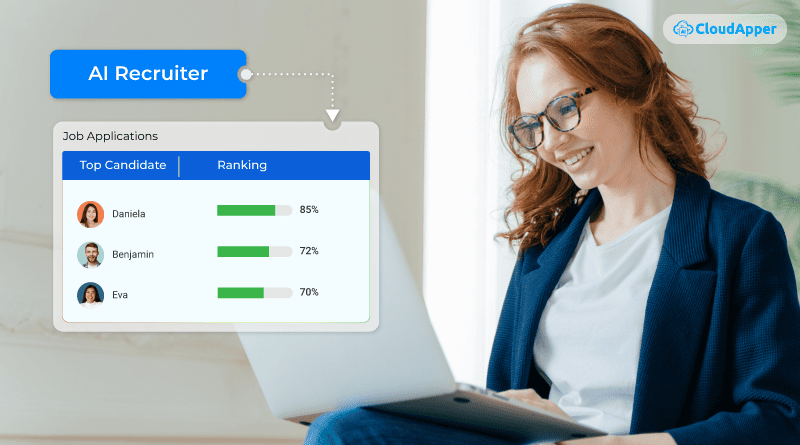
  • How AI Removes Bias from Recruitment to Slash Time-to-Hire and End Recruiter Burnout

    How AI Removes Bias from Recruitment to Slash Time-to-Hire and End Recruiter Burnout

    Slow hiring cycles and exhausted recruiters are two of the biggest bottlenecks in talent acquisition. Manual resume screening is not only time-consuming and prone to unconscious bias — it also leads to fatigue, inconsistent decisions, and missed top candidates. The result? Longer time-to-fill, higher costs, and burnt-out HR teams.

    AI solves both problems at once: it systematically removes bias from the recruitment process while dramatically speeding up screening and giving recruiters their time back.

    How AI Delivers Faster, Fairer Hiring

    1. Instant Anonymized Resume Screening AI automatically removes names, photos, gender signals, age, and school names in seconds. Recruiters review only skills and experience — eliminating bias and processing hundreds of applications instantly instead of days.

    2. Consistent Skills-Based Ranking Every candidate is scored against the same objective job criteria. AI understands context and meaning, so it ranks applicants accurately and fairly without the variability caused by human fatigue or preference.

    3. Bias Detection in Real Time The system continuously monitors shortlists for imbalances and alerts recruiters immediately, preventing biased decisions before they slow down the pipeline.

    4. Smart Job Description Optimization AI rewrites postings to remove exclusionary language, attracting a broader, more qualified pool from the very first day and reducing the need for multiple reposts.

    5. Conversational Candidate Engagement AI-powered chatbots keep applicants informed 24/7, answer questions instantly, and schedule interviews — cutting back-and-forth emails and keeping the process moving at top speed.

    Real Results for Any Organization

    Companies using AI bias-reduction tools typically cut time-to-hire by 40-60%, reduce recruiter workload significantly, improve candidate experience, and see more diverse, higher-quality shortlists — all without sacrificing fairness or compliance.

    CloudApper AI Recruiter is purpose-built for exactly this challenge. It combines anonymized screening, objective skills matching, real-time bias monitoring, and a conversational chatbot that engages candidates automatically — integrating effortlessly with your existing ATS or HCM system.

    Read the full original guide on AI bias reduction: How Can AI Remove Bias from the Recruitment Process?

    Ready to hire faster, fairer, and with far less burnout? Explore CloudApper AI Recruiter here: https://www.cloudapper.ai/ai-recruiter-conversational-chatbot/

    By letting AI handle the repetitive, bias-prone work, recruiters can focus on what they do best — building relationships and making strategic hires — while organizations gain speed, fairness, and a competitive edge in the talent market.

  • The Bias and Subjectivity Trap in Compensation Decisions: How AI Ensures Fair, Equitable Total Rewards

    The Bias and Subjectivity Trap in Compensation Decisions: How AI Ensures Fair, Equitable Total Rewards

    Compensation decisions are still heavily influenced by human judgment — salary offers, bonus allocations, promotion raises, and benefit adjustments often rely on manager discretion, personal relationships, or inconsistent historical data. This subjectivity trap introduces unconscious bias, pay inequities, legal risks, and employee distrust. Over time, it widens gender and diversity pay gaps, damages morale, increases turnover, and exposes organizations to costly lawsuits and regulatory scrutiny.

    Why the Bias Trap Persists in Compensation & Benefits

    The result? Lower engagement, higher attrition costs, and missed opportunities to build a truly competitive total rewards program.

    4 Powerful Ways AI Eliminates Bias in Total Rewards

    1. Data-Driven Market Benchmarking AI instantly compares roles against real-time external salary data and internal benchmarks for objective recommendations.
    2. Automated Equity Audits AI scans all compensation elements (base pay, bonuses, benefits value) to flag disparities by gender, race, tenure, or department — with clear, explainable insights.
    3. Consistent Rule Application AI applies the same transparent criteria to every decision, removing personal influence while preserving manager input for context.
    4. Personalized Yet Fair Guidance Employees receive clear, unbiased explanations for their compensation and benefit options, building trust without revealing sensitive data.

    CloudApper hrGPT: AI That Makes Fair Compensation Automatic

    CloudApper hrGPT is an intelligent HCM chatbot that integrates directly with your existing systems (UKG, Workday, Oracle, SAP, etc.). It combines your compensation philosophy, pay bands, benefit rules, and market data to deliver consistent, bias-free answers and recommendations 24/7.

    HR leaders run instant equity audits and receive actionable insights. Managers get objective guidance for offers and increases. Employees understand exactly how their total rewards are determined — instantly and transparently. The outcome: measurable reduction in pay gaps, stronger compliance, higher trust, improved retention, and a genuinely equitable compensation program.

    Ready to break free from the bias trap? Read the full original guide for more insights: How Is AI Used in Compensation and Benefits?

    Start building fair, transparent total rewards today: CloudApper hrGPT – HCM Automation Solution

    Stop letting subjectivity undermine your compensation strategy. Let AI deliver the fairness and consistency your people — and your organization — deserve.

  • The Employee Resistance Barrier: Why Fear and Skepticism Derail Most AI Rollouts—and How to Turn Resistance into Enthusiasm

    The Employee Resistance Barrier: Why Fear and Skepticism Derail Most AI Rollouts—and How to Turn Resistance into Enthusiasm

    One of the most overlooked yet powerful obstacles to successful AI adoption in organizations is employee resistance. Leaders invest in cutting-edge AI tools expecting instant productivity leaps, but face pushback: “Will this replace my job?”, “This feels like more surveillance,” or “I don’t trust it to get things right.” When employees resist or quietly bypass AI, adoption stalls, usage remains low, and the promised ROI never materializes—leaving companies with expensive technology collecting digital dust.

    Why Employee Resistance Is So Common and Costly

    Fear of job loss, loss of control, increased workload from learning curves, and distrust in AI decisions create natural skepticism. Additional drivers include:

    • Poor communication about AI’s purpose and benefits.
    • Tools that feel clunky, intrusive, or irrelevant to daily work.
    • Lack of involvement in design or rollout decisions.
    • Past experiences with failed tech initiatives breeding cynicism.
    • No visible “what’s in it for me” payoff.

    The impact is severe: shadow processes return, productivity gains evaporate, change fatigue sets in, and future AI projects face even higher hurdles.

    4 Effective Strategies to Overcome Resistance and Drive Adoption

    1. Lead with Empathy and Transparency Communicate early and honestly: explain what AI will and won’t do, emphasize augmentation over replacement, and share how it improves work-life balance or removes tedious tasks.
    2. Involve Employees in the Process Create cross-functional input groups or pilot champions. Let people test tools, provide feedback, and help shape interfaces—this ownership dramatically reduces resistance.
    3. Design for Delight, Not Duty Prioritize intuitive, helpful experiences. Make AI feel like a smart assistant that saves time and reduces stress, not another mandatory system. Quick, tangible wins (faster approvals, fewer errors) build trust fast.
    4. Celebrate Early Successes Publicly Highlight real stories: “Sarah cut her reporting time by 70%,” “The team handled peak volume without overtime.” Recognition and proof of value turn skeptics into advocates.

    CloudApper AI: Built to Win Hearts, Not Just Minds

    CloudApper AI directly tackles resistance with its no-code platform that puts ease and empowerment first. Employees interact through familiar, drag-and-drop interfaces they help customize. Custom AI agents train on your secure data, integrate seamlessly with UKG, Workday, Oracle, SAP, Salesforce and more, and deliver instant, practical help—freeing people for meaningful work while keeping humans firmly in control. The result: natural adoption, higher satisfaction, and genuine enthusiasm instead of compliance.

    Want the complete step-by-step foundation? Explore the original guide for the full roadmap to rolling out AI: How to Roll Out Artificial Intelligence in Your Organization

    Start creating AI that people actually want to use: CloudApper AI Platform – Build & Integrate LLM with Enterprise Systems

    Transform resistance into excitement. Make AI the ally your team embraces—not the change they dread—and unlock sustainable, organization-wide value.

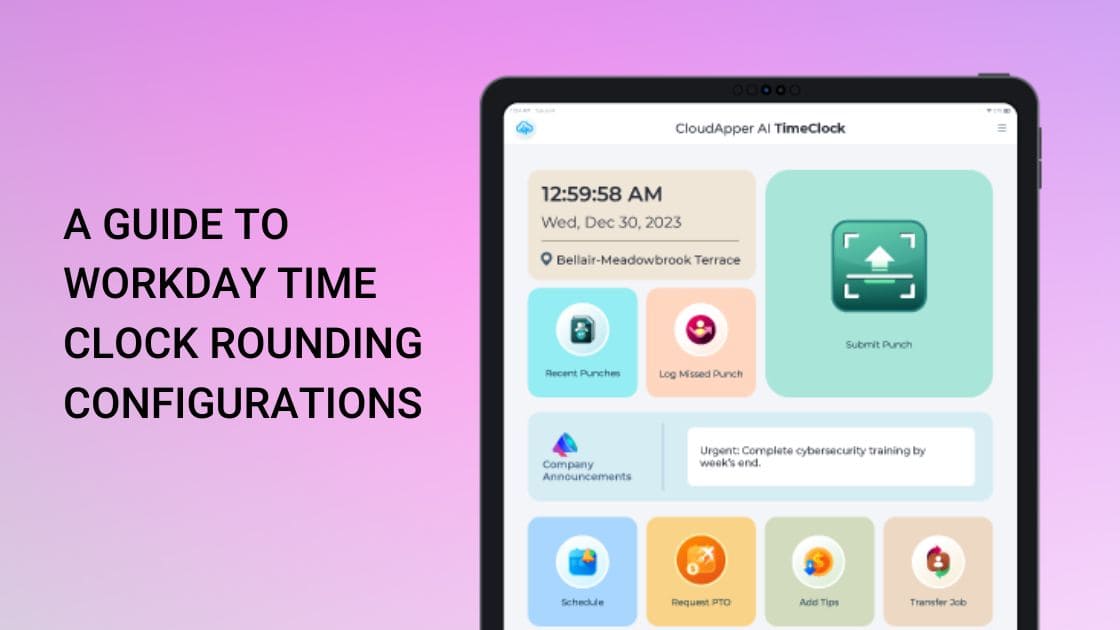
  • Tackling Overtime Creep with Workday Time Clock Rounding: A Smart Fix for Any Industry Facing Uncontrolled Premium Pay

    Tackling Overtime Creep with Workday Time Clock Rounding: A Smart Fix for Any Industry Facing Uncontrolled Premium Pay

    Across industries—from professional services and logistics to education, nonprofits, and field services—one hidden payroll killer stands out: overtime creep caused by inconsistent or overly generous rounding practices. Small, repeated upward rounds on clock-ins/outs add up fast, inflating labor budgets, triggering unexpected FLSA overtime, and straining cash flow without delivering proportional productivity.

    The Rounding-Overtime Connection

    Workday’s nearest 15-minute rounding (the default many organizations start with) creates a 7.5-minute window on either side of each quarter-hour mark. While neutral in theory, real-world patterns often skew:

    • Employees arrive 5–7 minutes early → round up to the next quarter-hour → extra paid time.
    • Late clock-outs after shift end → round up again → compounded premium pay.

    Over weeks, this can quietly add 1–3% to total payroll costs—especially painful in organizations with large hourly populations or tight margins.

    Why This Pain Is Industry-Neutral

    • Professional services (consultants, auditors): Billable hours get distorted.
    • Logistics & transportation: Drivers and warehouse teams rack up unplanned OT.
    • Education & nonprofits: Budgets are fixed; extra OT eats into program funding.
    • Field services (HVAC, plumbing, maintenance): Technicians’ “quick wrap-up” minutes multiply across dozens of daily jobs.

    FLSA requires rounding to be neutral over time, yet many setups unintentionally favor employees because shift-start discipline is stronger than shift-end discipline.

    Effective Rounding Strategies to Curb Overtime Creep

    1. Shift-specific rules in Workday: Apply stricter rounding (nearest minute or down-round bias within legal limits) on clock-outs while keeping standard 15-minute on clock-ins.
    2. Grace period + auto-deduction combo: Allow a short unpaid grace (e.g., 7 minutes) before rounding begins—common in many compliant setups.
    3. Analytics monitoring: Use Workday reports to flag departments/teams where average rounded time exceeds actual worked time by >2%.
    4. Policy transparency: Clearly communicate the rounding window so employees self-regulate behavior.

    These tweaks often recover thousands in annual payroll without morale hits—when paired with fair enforcement.

    Make It Effortless with CloudApper AI Time Clock for Workday

    Native Workday rounding gives flexibility, but controlling creep requires visibility and customization at scale. CloudApper AI Time Clock adds powerful layers: AI-driven policy recommendations, real-time rounding impact dashboards, touchless Face ID + geofencing to lock punches to actual arrival/departure, offline mode, and per-shift/per-role rounding—all syncing natively to Workday Payroll. At just 25% of traditional kiosk costs, it turns overtime management from reactive to proactive.

    For the full spectrum of Workday rounding configurations, see the original guide: A Guide to Workday Time Clock Rounding Configurations.

    Ready to stop overtime creep in its tracks? Visit CloudApper AI Time Clock for Workday and take precise, compliant control of your time data today.

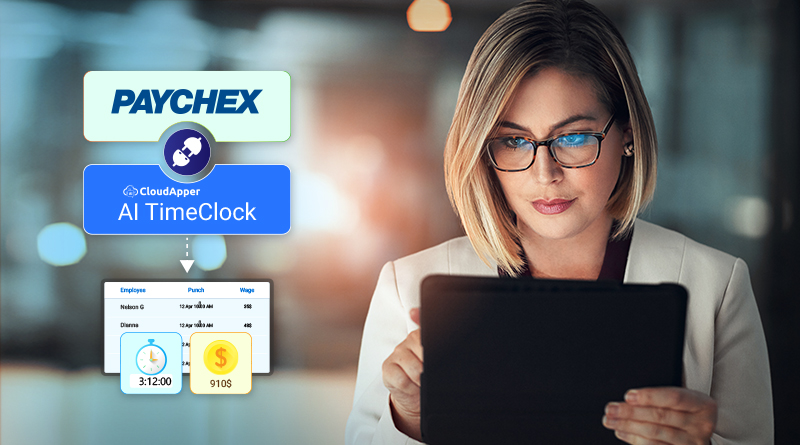
  • Cut Costs Without Cutting Corners: Affordable, No-Hardware Time Clock Upgrade for Paychex Payroll Users

    Cut Costs Without Cutting Corners: Affordable, No-Hardware Time Clock Upgrade for Paychex Payroll Users

    Many Paychex Payroll customers stick with outdated, expensive time clocks or manual processes because replacing hardware feels like a major budget hit. CloudApper AI TimeClock flips that script: It delivers premium features—biometric security, real-time sync, AI automation—at a fraction of traditional costs by repurposing devices you already own (iPads, Android tablets, or even existing kiosks). No proprietary hardware purchases, no ongoing maintenance fees, no installation headaches—businesses report saving up to 75% compared to legacy systems.

    The affordability shines through deployment simplicity: Download the app, configure via no-code tools, and deploy across locations in minutes. Existing tablets become smart, secure time clocks with touchless facial recognition to stop buddy punching and time theft instantly. Add geo-fencing for location-proofing, offline capture for uninterrupted tracking in remote areas, and automatic syncing to Paychex Payroll—ensuring every punch flows accurately into payroll without manual exports or double-entry.

    This cost-effective approach doesn’t skimp on advanced capabilities. Built-in AI agents automate compliance (breaks, overtime rules, attestations), trigger custom alerts (missed punches, thresholds), and power a 24/7 conversational AI HR Assistant that handles employee questions like “What’s my accrued PTO?” or “Can I swap shifts?”—drastically reducing HR’s administrative load and inquiry volume.

    Employees love the empowerment: Through the intuitive self-service portal, they view time cards, submit leave requests, bid on shifts, or confirm safety checks from their phones or kiosks—boosting transparency and satisfaction while minimizing supervisor involvement.

    Real results speak volumes: A healthcare provider using similar touchless, integrated tracking cut payroll errors by 30% and processing time by 35% within six months, redirecting saved time and money toward core business growth rather than error correction.

    For Paychex users tired of overpaying for basic functionality—or avoiding upgrades due to cost—this solution proves you can achieve enterprise-grade accuracy, security, and efficiency on a realistic budget. It’s a low-risk, high-ROI path to modernizing time and attendance.

    See the full feature set and start your no-hardware upgrade: CloudApper AI TimeClock.

    Original article for complete overview: Boost Your Payroll Accuracy with Affordable Time Clock for Paychex.